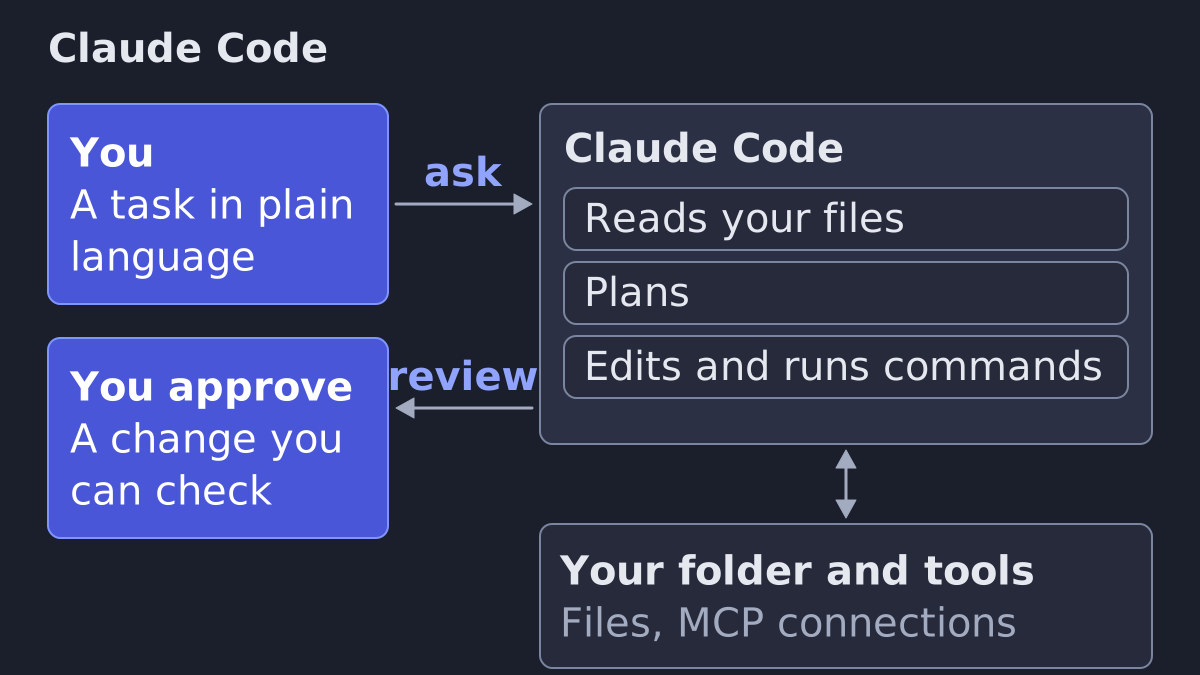
Claude Code is Anthropic's agentic tool that reads your files, edits them and runs commands, in your terminal, an editor, a desktop app or the browser (Anthropic docs). It is built for code, so a marketer gets the most from it by pointing it at the files, tools and routines they already have, with a few rules written down once.
What Claude Code is
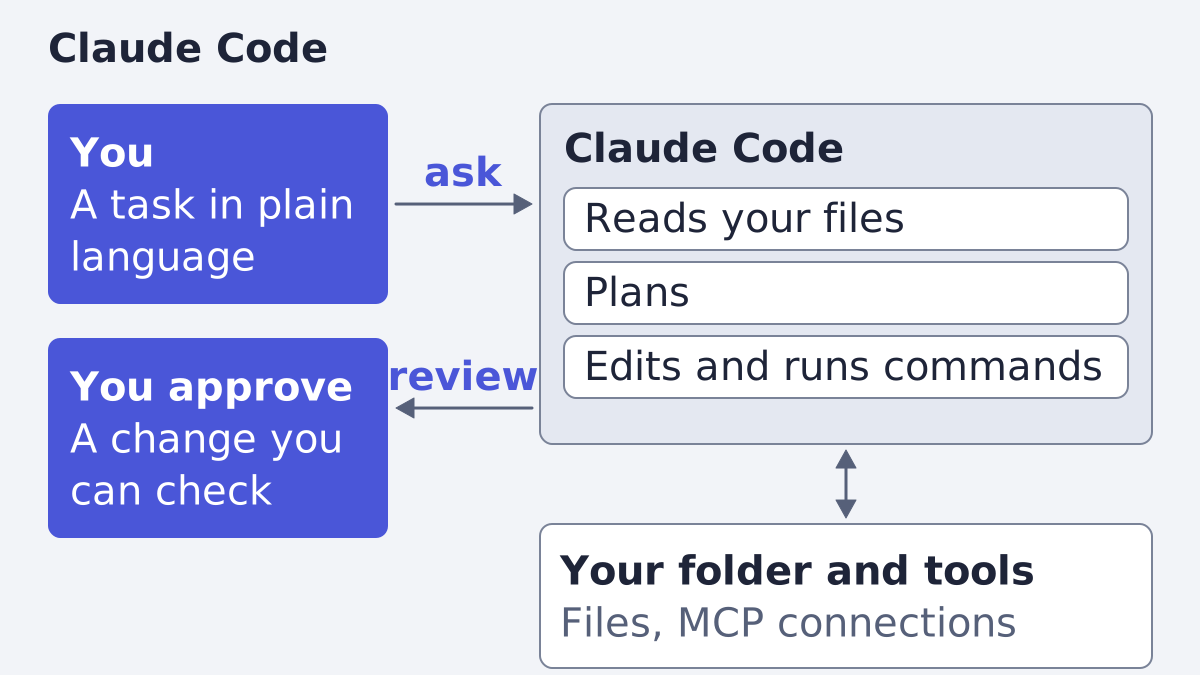
Anthropic describes Claude Code as "an agentic coding tool that reads your codebase, edits files, runs commands, and integrates with your development tools" (overview). Three phrases in that sentence matter to you.
- Agentic. You do not ask a question and get one answer. You hand over a task, and it works through several steps.
- Reads and edits files. It works on the files in a folder you open, not on a chat window.
- Runs commands. It can use the same command-line tools you could, and connect to other tools.
The docs say you describe what you want in plain language, and Claude Code "plans the approach, writes the code across multiple files, and verifies it works" (overview). Their examples are about software: tests, bugs, commits, pull requests. Everything below that goes beyond those examples is our reading of the mechanism, and we mark it.
Where you run it
The same engine runs on several surfaces, and your instruction files, settings and connected tools carry across them (overview).
| Surface | What the docs say it is |
|---|---|
| Terminal | "The full-featured CLI" for working with Claude Code directly |
| VS Code | An extension with inline diffs, @-mentions, plan review and conversation history in the editor |
| JetBrains | A plugin for IntelliJ IDEA, PyCharm, WebStorm and other JetBrains IDEs with interactive diff viewing and selection context sharing. The Claude Code CLI must be installed separately |
| Desktop app | Review diffs visually, run several sessions side by side, schedule recurring tasks. A paid subscription is required |
| Web | Run in the browser with no local setup, start long tasks and check back later |
Most surfaces need a Claude subscription or an Anthropic Console account (overview). If you have never used a terminal, Anthropic has a terminal guide that shows how to open one. The desktop app is the gentler start: you click the Code tab and the CLI is already inside it.
How a session works: read, plan, edit
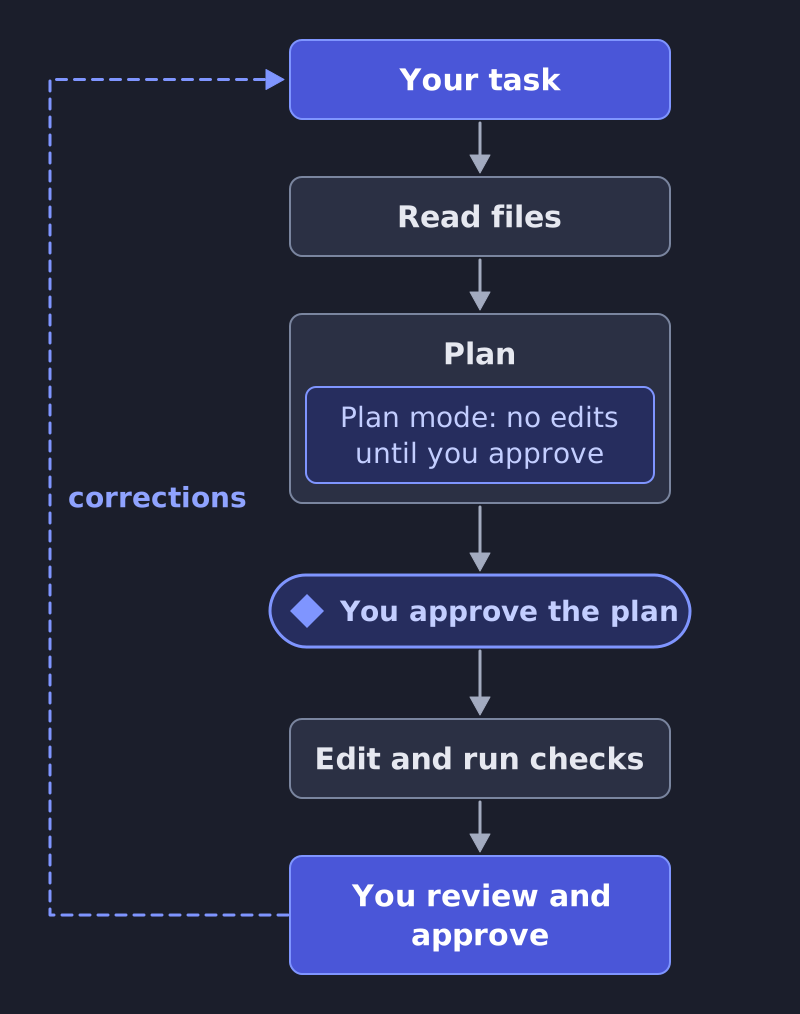
A session is a loop. You state the task, Claude Code explores the files, proposes a plan, makes the edits and runs checks, and you approve what it does.
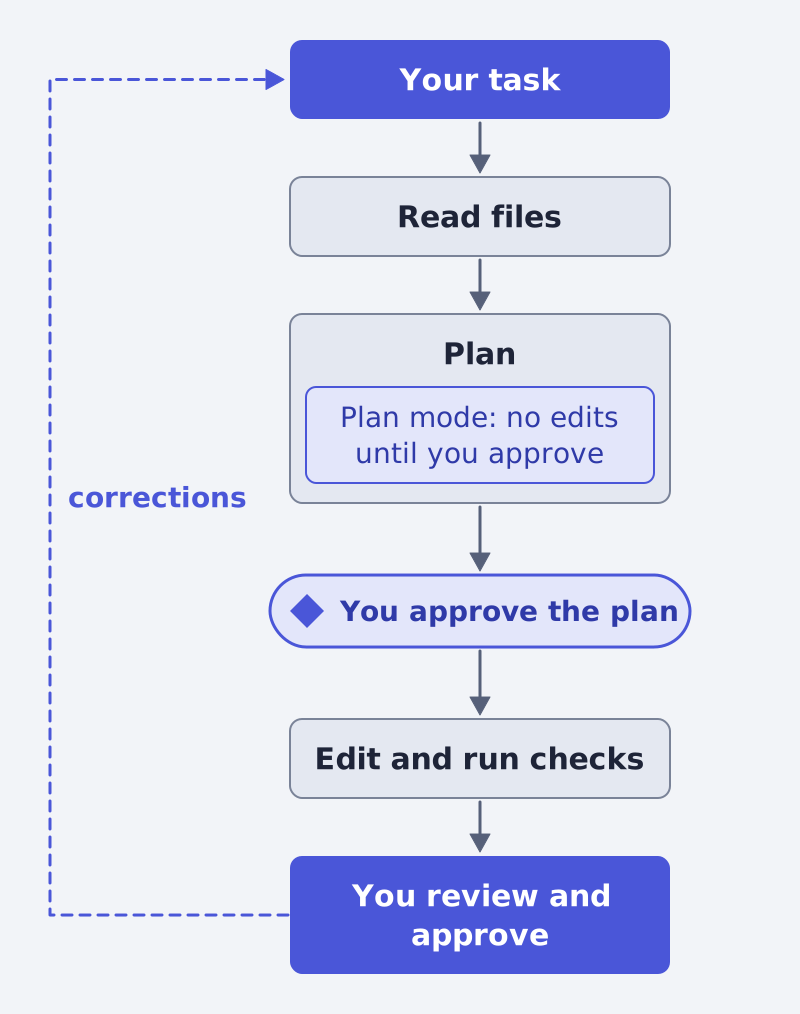
You control how much it may do alone through permission modes (permission modes):
- Manual: "Claude Code stops and asks you before most actions that edit files, run shell commands, or reach the network."
- Auto-accept edits (
acceptEdits, shown as "Edit automatically" in VS Code): it can create and edit files in your working folder without prompting. - Plan mode: "Plan mode tells Claude to research and propose changes without making them." Edits stay blocked until you approve the plan. Press
Shift+Tabto switch into it.
For anything you cannot easily undo, start in plan mode. You read the plan the way you would read a brief from an agency, and only then let it edit.
Memory: teach it your brand once
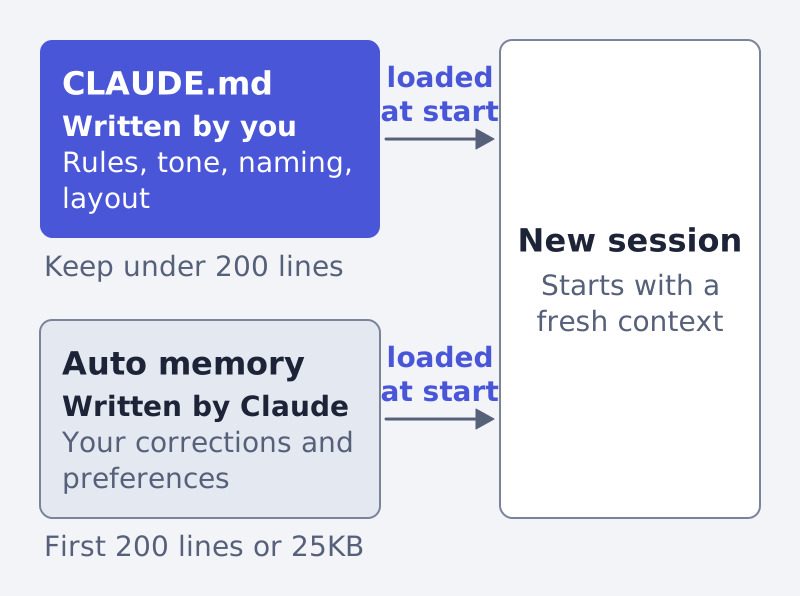
Each session starts with a fresh context window, so Claude Code does not remember yesterday on its own. Two mechanisms carry knowledge across sessions (memory).
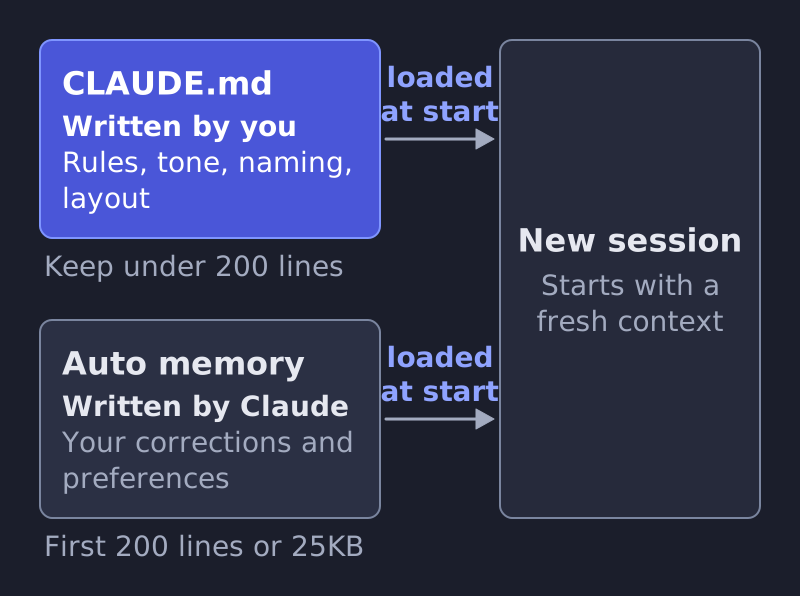
| Topic | CLAUDE.md | Auto memory |
|---|---|---|
| Who writes it | You | Claude |
| What it holds | Instructions and rules | Learnings and patterns, such as your corrections |
| Loaded | Every session | Every session, first 200 lines or 25KB |
Source: memory.
CLAUDE.md is a plain markdown file Claude reads at the start of every session. The docs suggest adding to it when you type "the same correction or clarification into chat that you typed last session." For a marketer, that is the natural home for what you would otherwise repeat: your tone of voice, words you never use, naming rules, the folder layout of your reports. Keep it under 200 lines and make each line checkable, for example "use 2-space indentation" instead of "format code properly" (memory). The docs example is about code, but the same advice applies to any written rule.
Run /init and Claude drafts a starting file from your folder. Run /memory to see and edit every memory file; auto memory is plain markdown you can read, edit or delete (memory).
One honest limit: the docs say Claude treats these files "as context, not enforced configuration." A rule that must hold every time belongs in a hook, covered next.
What a marketer can do with it
The docs list these capabilities. Each one is documented for software teams; the third column is our reading of what carries over to ad and content work.
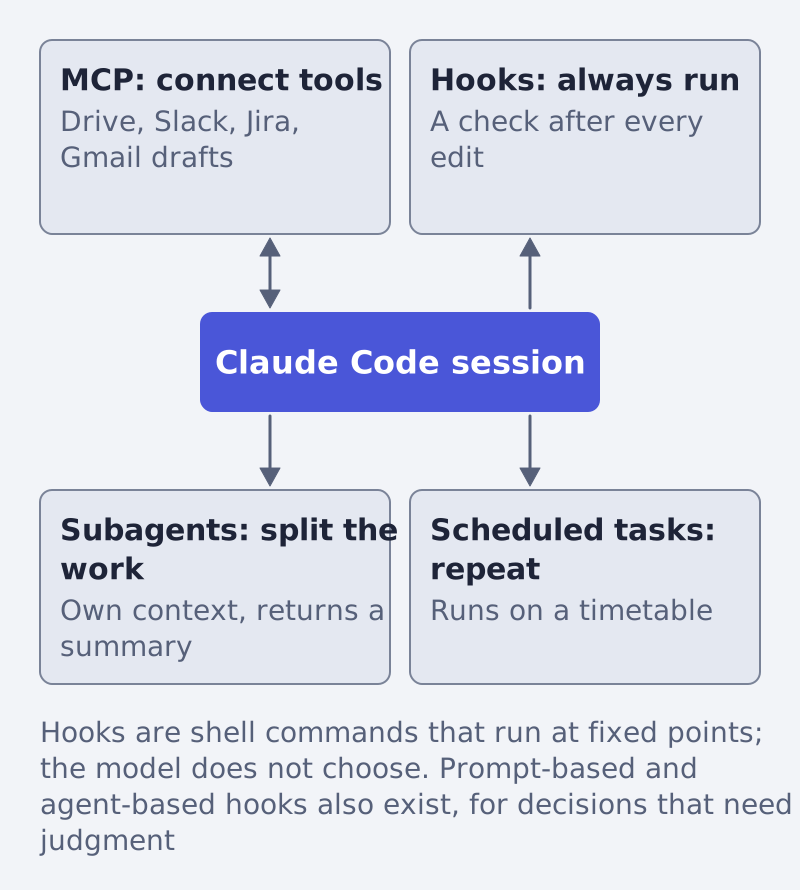
| Capability | What the docs say | Our reading for marketing work |
|---|---|---|
| MCP connections | An open standard for connecting AI tools to external data sources. Examples: read design docs in Google Drive, update tickets in Jira, pull data from Slack, create Gmail drafts (overview, MCP) | Bring your campaign notes, briefs and drafts into one session instead of pasting them |
| Hooks | Shell commands that run at fixed points, so "certain actions always happen rather than relying on the LLM to choose to run them" (hooks) | A check that always runs after a file is edited, such as a banned-word scan |
| Subagents | Specialized assistants, each in "its own context window"; useful when a side task would flood your main conversation (subagents) | Let one helper read a long export and return only a summary |
| Scheduled tasks | Run Claude on a schedule; cloud tasks keep running when your computer is off (overview) | A recurring weekly review of a folder of reports |
| Pipe and script | claude -p takes piped input; the docs show translating new strings and bulk operations across files (overview) |
Bulk edits across many text files, such as ad copy variants stored as files |
Skills are the other piece: they "package repeatable workflows your team can share" (overview). If your team repeats a routine, such as a weekly report layout, a skill is where it lives.
For the marketing questions that sit around this tool, our other guides help: why Meta, Google Ads and GA4 report different numbers, and how products show up in AI answers. To check an ad before you spend on it, try the free creative score or the feed inspector.
What it needs, what it costs, what it cannot do
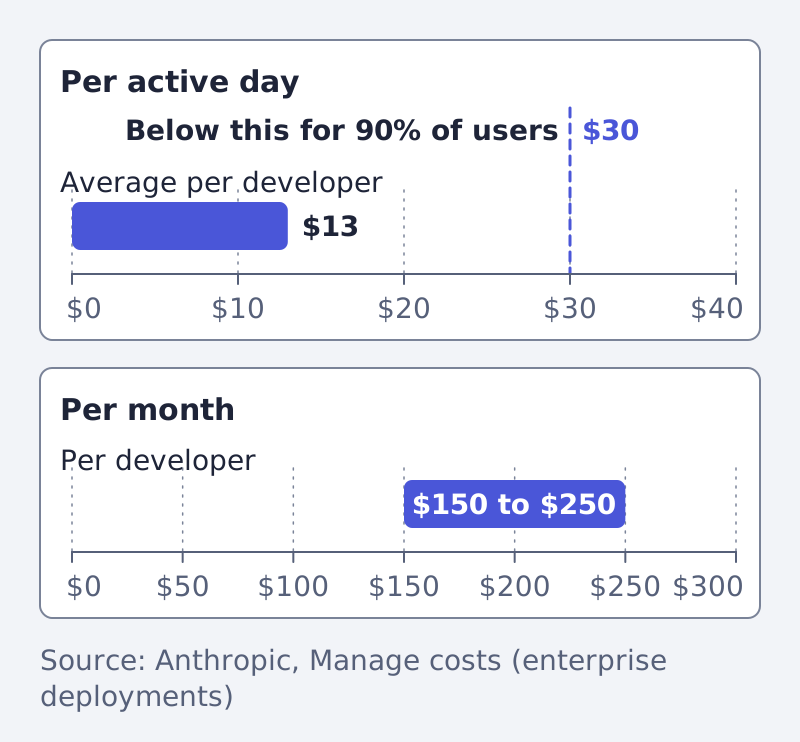
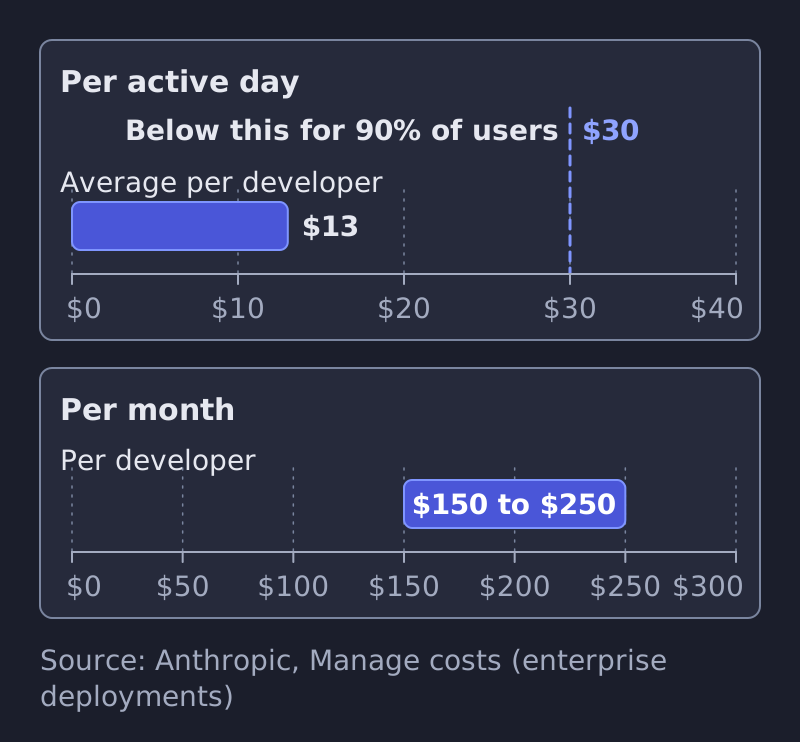
Anthropic says Claude Code "charges by API token consumption," and points to claude.com/pricing for subscription plans. Its cost page reports that across enterprise deployments the average is around $13 per developer per active day and $150 to $250 per developer per month, with costs below $30 per active day for 90% of users (costs). Those are figures for developers in companies, not for a marketing team, so treat them as a scale, not a quote. Costs grow with context size, which is why the docs suggest running /clear between unrelated tasks.
| It needs | It cannot, or you must watch |
|---|---|
| A Claude subscription or an Anthropic Console account (overview) | Remember past sessions on its own: each starts fresh (memory) |
| A folder of files to work in | Guarantee it follows an instruction: CLAUDE.md is context, not enforcement; use a hook for a must (memory) |
| Short, specific instructions | Be trusted blindly through connections: "Verify you trust each server before connecting it," because servers that fetch external content can expose you to prompt injection (MCP) |
| Your approval on edits, unless you choose otherwise | Share auto memory between machines: it is machine-local (memory) |
How to start, and where it fits
- Install it from the overview page, or use the desktop app and its Code tab.
- Open a folder that holds one real piece of work, a copy rather than your only version.
- Run
/init, then add your brand rules to the CLAUDE.md it creates. - Start in plan mode, read the plan, then approve.
- Add one connection or one hook only when you feel a repeated chore.
Claude Code is a tool you steer yourself. If what you need is finished product ads, not a workshop, that is the work we do at Framepx, an AI system for product ads; here is how it works. More guides are in the blog.
Sources
Written by
Framepx team, Editorial team
The Framepx editorial team writes for brands, marketers and agencies about ad platforms, measurement, creative and product feeds.