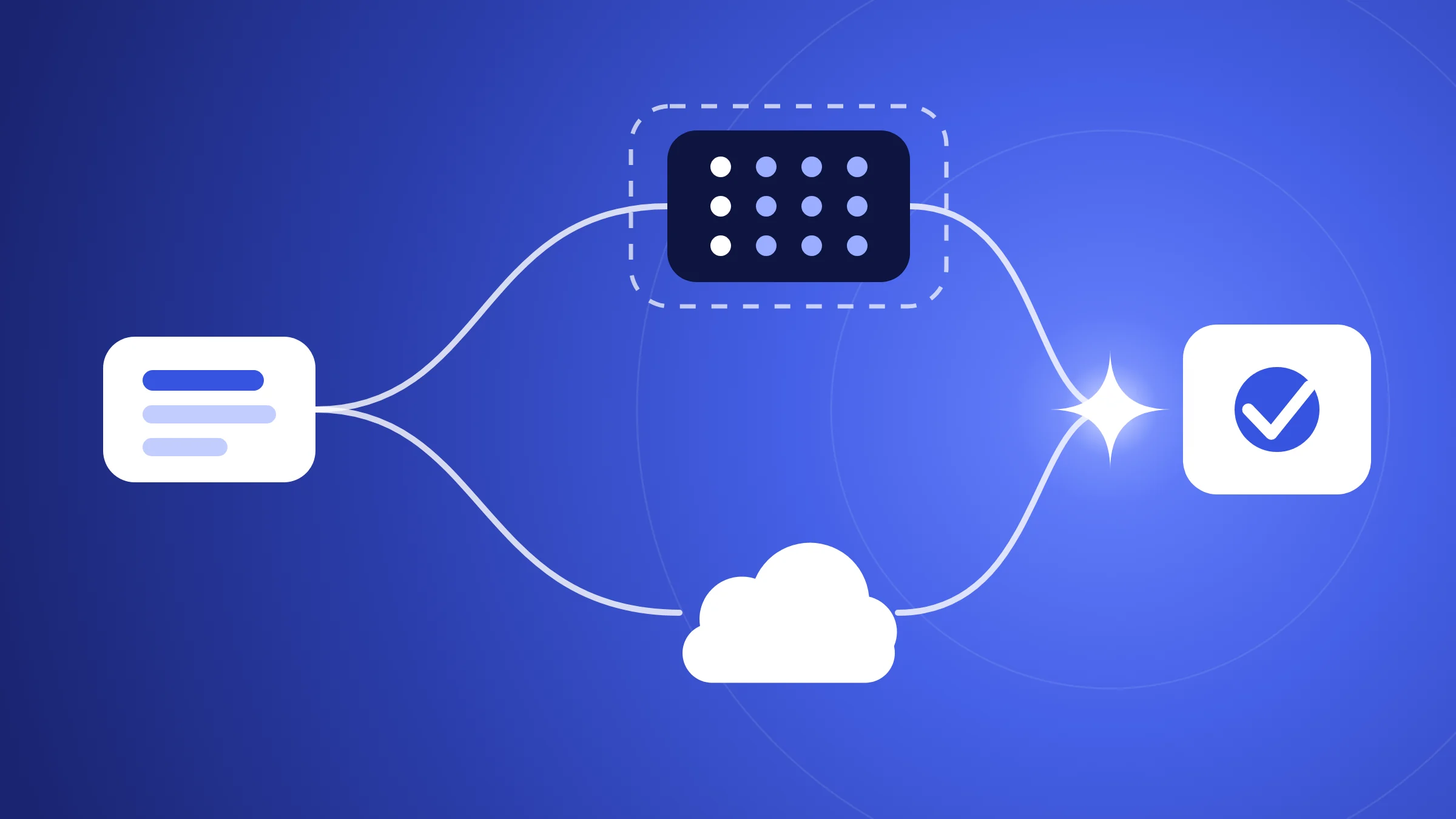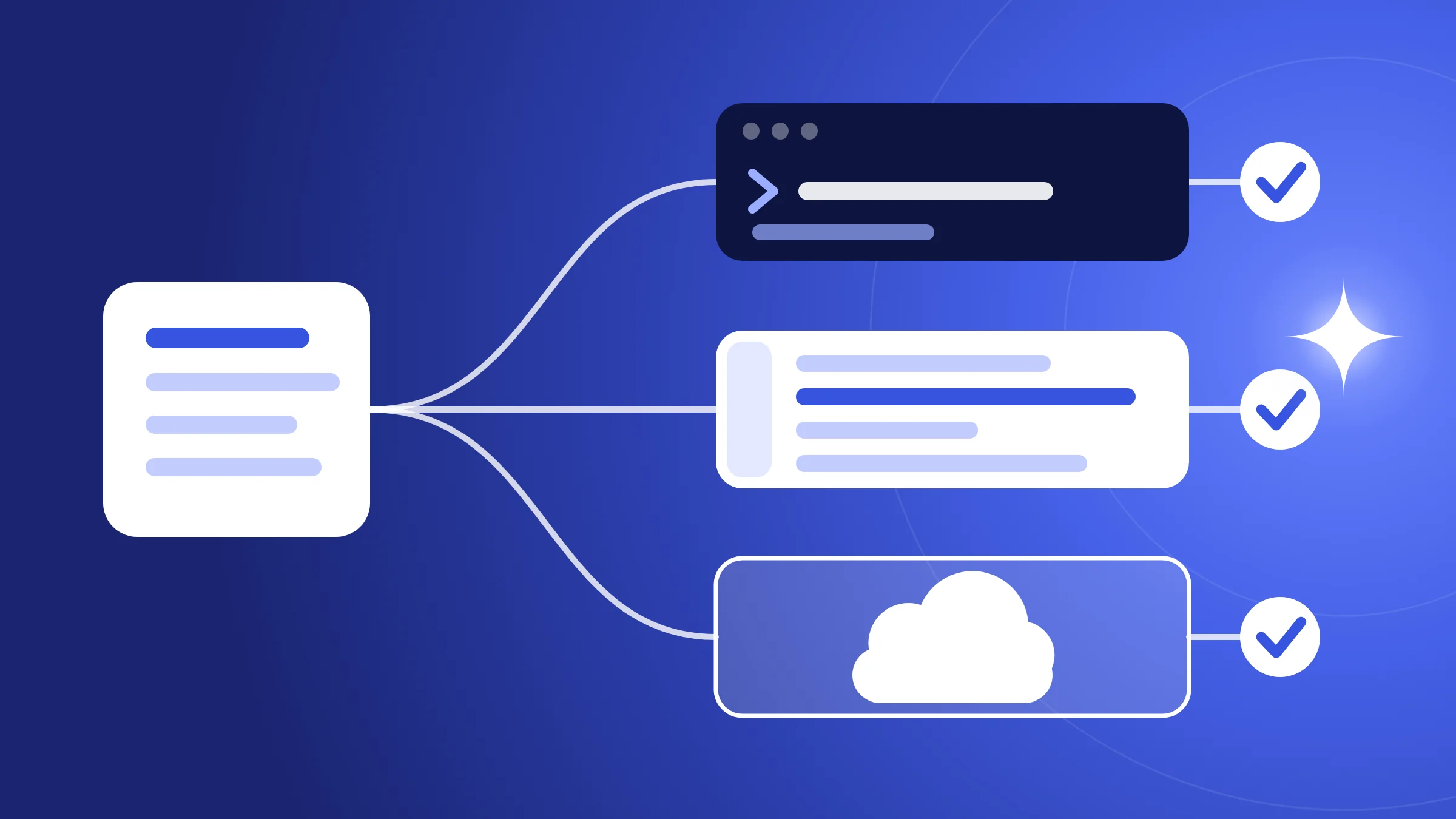
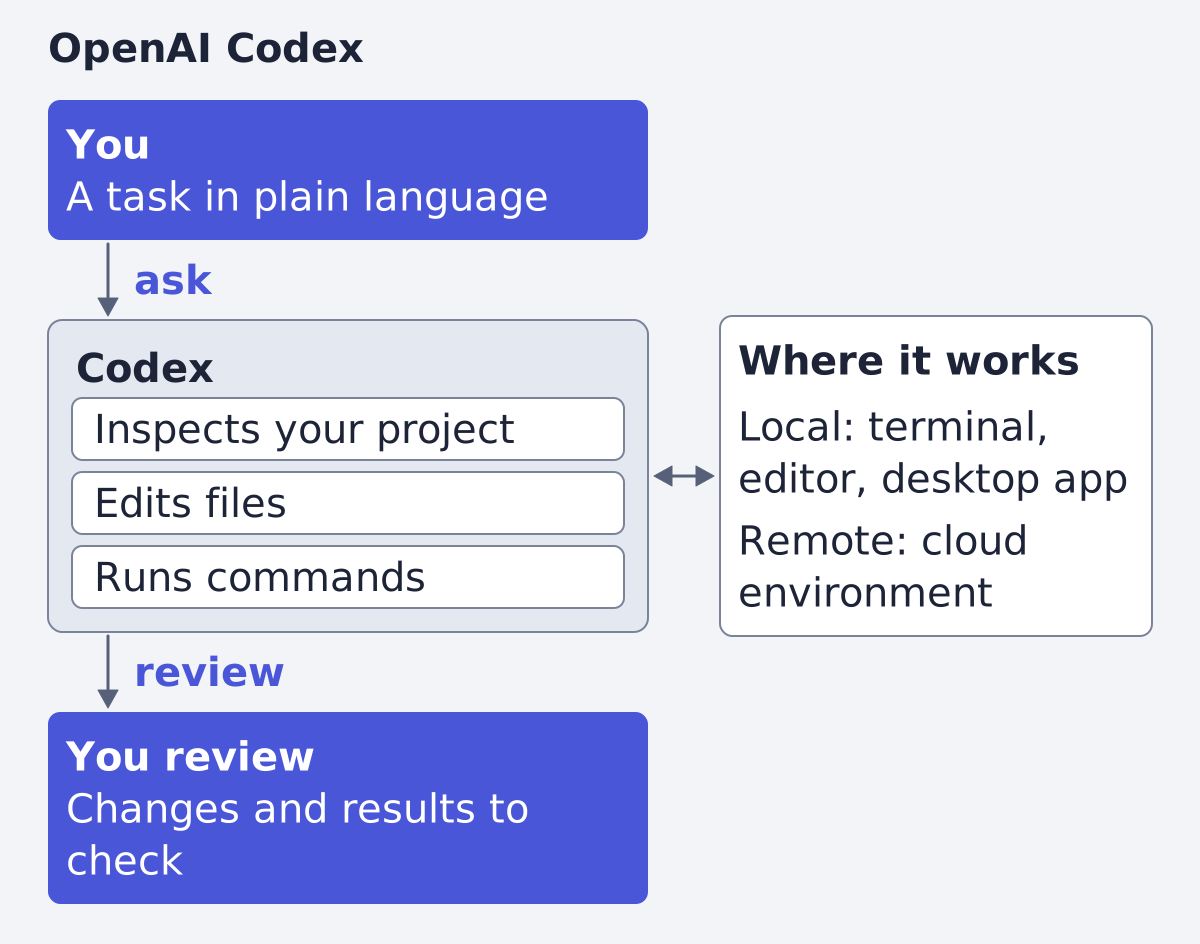
OpenAI Codex is OpenAI's coding agent: you describe a task, and it inspects your project, edits files and runs commands, in a terminal, a code editor, the ChatGPT desktop app or a cloud environment (quickstart, Codex CLI docs). Claude Code, Anthropic's tool, does the same kind of job, so for a marketing or content team the choice is mostly about where each one runs and how you review its work.
What Codex is
OpenAI's CLI page describes Codex as a way to "inspect code, make changes, run commands, and automate repeatable work without leaving your terminal" (Codex CLI). It works against your local repository, you control the model, permissions and commands, and it fits scripts and CI. Like Claude Code, it is built for software work; what we say about marketing use goes beyond the docs, and we mark it as our reading.
A note on where the docs live. The old address developers.openai.com/codex now redirects to learn.chatgpt.com/docs, a ChatGPT documentation site where Codex sits beside ChatGPT itself. The pricing page says "ChatGPT Work and Codex share usage" (pricing). In the desktop app you pick Codex for software development, or ChatGPT and then Work for "research, analysis, or deliverables such as documents, presentations, spreadsheets, and Sites" (quickstart). Our reading: a marketer who wants a deck or a spreadsheet will use Work, not Codex. Codex is the part for a team that keeps files in a repository.
Where you run it
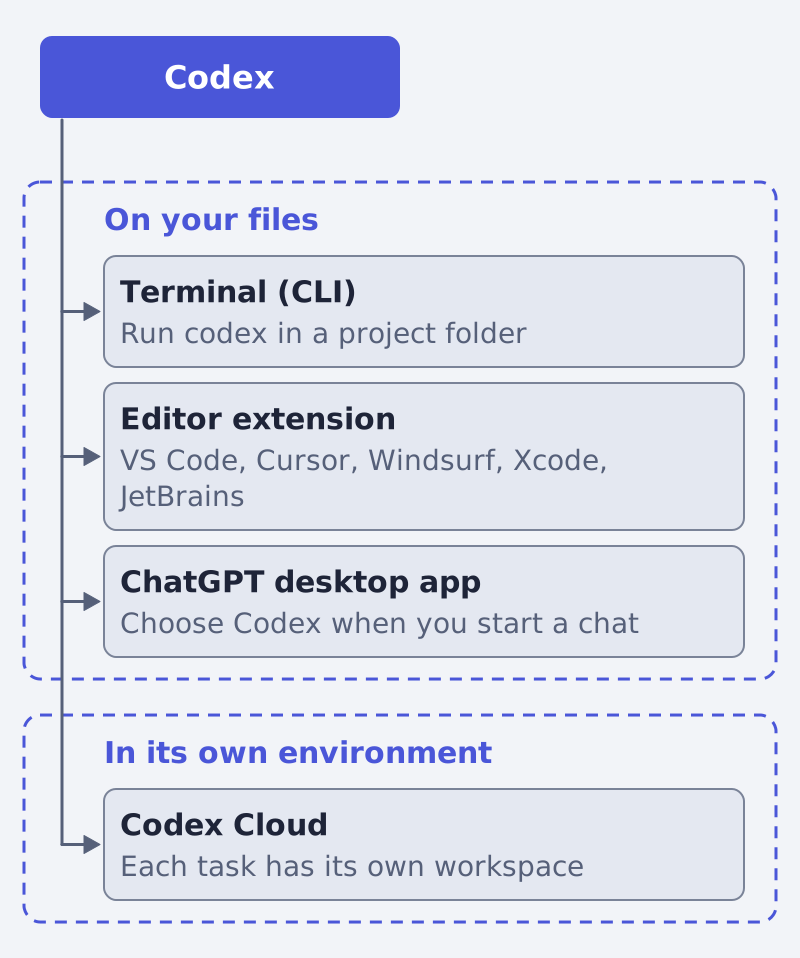
| Surface | What the docs say |
|---|---|
| Codex CLI | Works against your local repository; install with a script, npm or Homebrew; run codex in a project folder (CLI) |
| IDE extension | Starts with the open files and selections; works in VS Code, Cursor and Windsurf; Xcode and JetBrains provide their own integrations (IDE) |
| Desktop app | For macOS, Windows and Linux; choose Codex or ChatGPT when you start a chat (quickstart, app) |
| Codex Cloud | Tasks run in a cloud environment; "each task has its own workspace and can keep working while your computer is asleep" (cloud) |
You sign in with a ChatGPT account, and the quickstart adds that you may also use Codex with an API key, with some features then unavailable (quickstart). For a first try, the desktop app is the gentler start.
How a task works
You open a project and describe the task. The CLI page suggests starting small: ask Codex to explain the project, make a focused change or help debug an issue (CLI). Codex then inspects files, edits them and runs the tools on your machine. The same page advises Git checkpoints before and after a task, so you can revert.
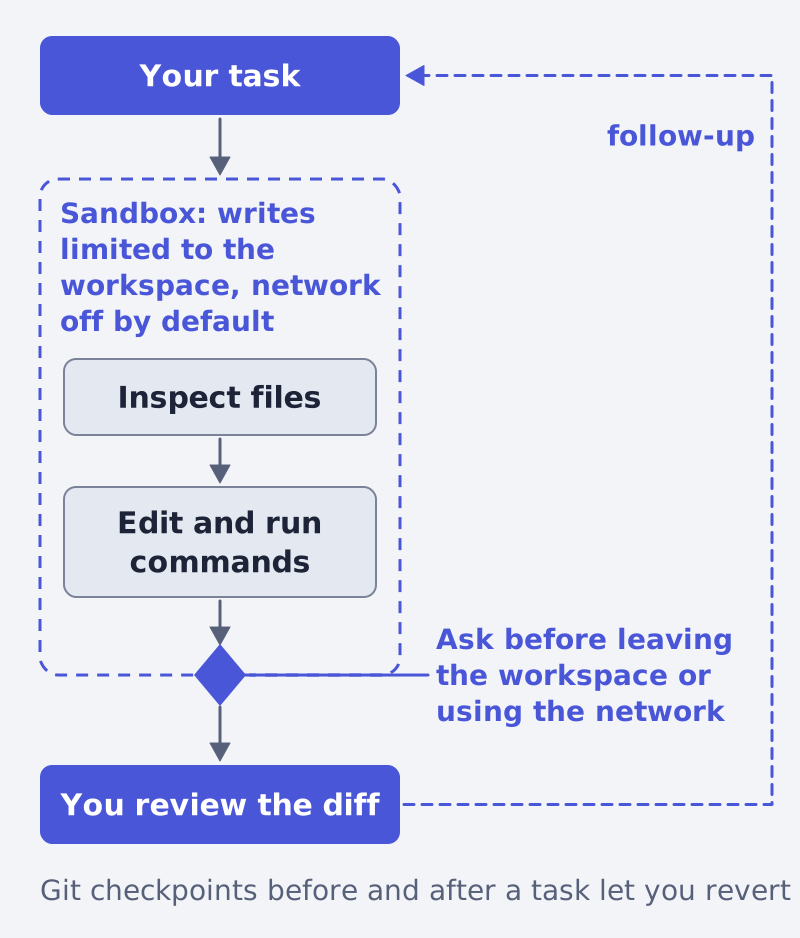
Two layers decide what it may do alone (agent approvals and security):
- Sandbox mode: what Codex can do technically, such as where it can write and whether it can reach the network. Locally, the defaults are no network access and writes limited to the active workspace.
- Approval policy: when Codex must stop and ask you. In the
Autopreset it can read files, edit and run commands in the working directory, and it asks before editing outside the workspace or using the network.
To plan without changing anything, switch to read-only mode with the /permissions command. The security page also says that by default "the agent runs with network access turned off."
Instructions it reads first: AGENTS.md
Codex "reads AGENTS.md files before doing any work" (AGENTS.md guide). This is where a team writes its rules once: tone, naming, the checks to run, the folders to leave alone.
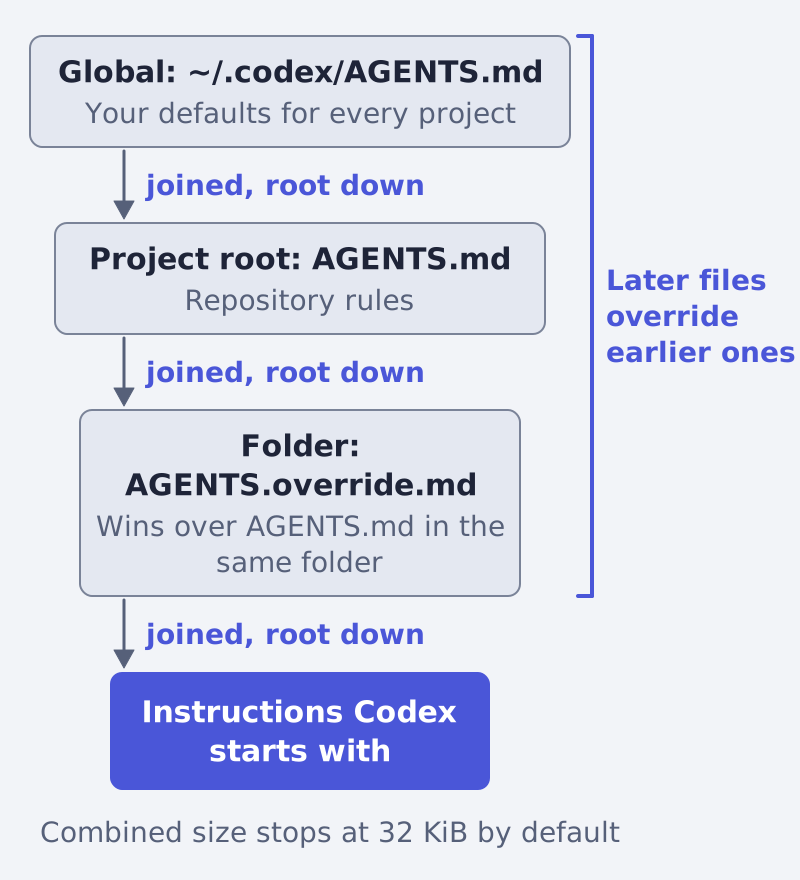
The guide gives the order:
- A global file in your Codex home directory (
~/.codexby default). - Then, from the project root down to your working directory, one file per folder, where
AGENTS.override.mdwins overAGENTS.md. - Files are joined from the root down, so the closest file overrides earlier guidance. Combined size stops at 32 KiB by default (
project_doc_max_bytes).
This is the counterpart of Anthropic's CLAUDE.md, which Claude Code "reads at the start of every session." Anthropic also says that if your repository already has an AGENTS.md, Claude Code can read it in place of a CLAUDE.md (Claude Code overview). Our reading: a team that tries both tools can keep one AGENTS.md and avoid writing the rules twice. Our own walk through the Claude side is in what Claude Code is and what a marketer can do with it.
What a marketing team can do with it
The docs list these capabilities for developers. The right column is our reading of what carries over.
| Capability | What the docs say | Our reading for marketing work |
|---|---|---|
| Skills | A skill packages "instructions, resources, and optional scripts" so the product can follow a workflow, built on an open standard (skills) | A weekly report layout or an ad-copy check, written once |
| MCP | Lets Codex use tools and information from other systems; codex mcp adds servers (MCP, CLI) |
Bring briefs and tickets into the session |
| Subagents | Delegate focused work to specialized agents and bring findings back (CLI) | Let one helper read a long export |
| Scripts and CI | codex exec runs non-interactively and prints the final message to stdout, so it can be piped (non-interactive mode) |
Bulk edits on ad copy variants stored as files |
| Scheduled tasks | Recurring tasks run in the background; in the desktop app, keep the computer on when a task needs local files (scheduled tasks) | A weekly check of a reports folder |
| Review | A dedicated review reports prioritized findings "without modifying your working tree" (CLI) | A second look at changed copy before it ships |
Our piece on subagents and hooks in Claude Code explain the same ideas from the other side.
Codex and Claude Code side by side
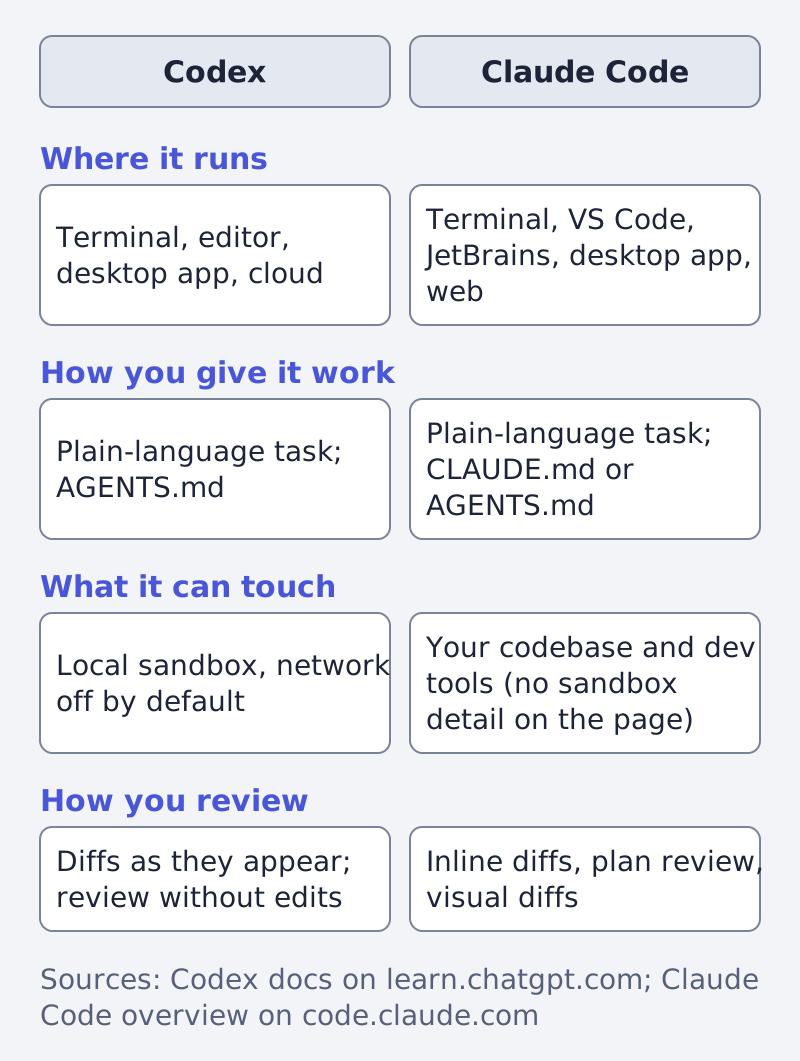
| Question | Codex | Claude Code |
|---|---|---|
| Where it runs | Terminal, IDE extension, ChatGPT desktop app, Codex Cloud (CLI, IDE, cloud) | Terminal, VS Code, JetBrains, desktop app, web (overview) |
| How you give it work | Describe a task in plain language; codex exec for scripts; AGENTS.md for standing rules |
Describe a task in plain language; claude -p for scripts; CLAUDE.md for standing rules, or AGENTS.md read in its place |
| What it can touch | Locally, a sandbox: writes limited to the workspace, network off by default; cloud tasks get their own workspace | Your codebase and your development tools (overview); the overview page gives no sandbox detail |
| How you review | Inspect commands and diffs as they appear; a dedicated review without edits; commit or open a pull request from a cloud task | Inline diffs and plan review in VS Code, visual diff review in the desktop app (overview) |
The Codex cells come from the pages cited above. The Claude Code cells come only from Anthropic's overview page, and where that page is silent we say so rather than fill the cell. Both offer a terminal, an editor, a desktop app and a remote option, so surfaces alone decide nothing. The visible difference is the account: ChatGPT for Codex, a Claude subscription or Anthropic Console account for Claude Code.
What it needs and what to watch
| It needs | Watch for |
|---|---|
| A ChatGPT account, or an API key with fewer features (quickstart) | Usage is shared with ChatGPT Work, and API token prices are separate from subscription usage (pricing) |
| A project folder or a connected GitHub repository | In a cloud task, network access and credentials are set in the environment settings; review the setup before you publish it (cloud) |
Short, specific instructions in AGENTS.md |
Once the combined files reach 32 KiB, later files are left out by default (AGENTS.md guide) |
| Your approval at the boundary | A rule in AGENTS.md is guidance; the sandbox and approvals are the controls |
How to start
- Install Codex from the CLI page, or open the ChatGPT desktop app and choose Codex.
- Open a folder that holds one real piece of work, a copy rather than your only version.
- Write a short
AGENTS.mdwith your tone, naming and checks. - Start in
read-onlymode, ask for a plan, then let it edit. - Add a skill or one connection only when you feel a repeated chore.
Both Codex and Claude Code are tools you steer yourself. If you want finished product ads rather than a workshop, that is what we do at Framepx: an AI system that turns product feeds into ads; here is how it works. More guides are in the blog.
FAQ
Is Codex free? The pricing page lists a Free plan to "Explore Codex capabilities on quick coding tasks." and a Go plan for "lightweight coding tasks" (pricing). Plans change, so check the page before you decide.
Do I need to know how to code? The tool is built for software work, and its docs are written for developers. A marketer who keeps ad copy, feed files or site content in a folder can use it with plain-language tasks. That is our reading, not a claim of the docs.
Can Codex change files without asking? Locally it can edit and run commands in the working directory in the Auto preset, and it asks before leaving the workspace or using the network (security).
Can I use Codex and Claude Code in the same project? Anthropic says Claude Code can read an existing AGENTS.md in place of a CLAUDE.md (overview), so one instruction file can serve both. Which of them you prefer is a question for a small trial on your own files.
Sources
Written by
Framepx team, Editorial team
The Framepx editorial team writes for brands, marketers and agencies about ad platforms, measurement, creative and product feeds.