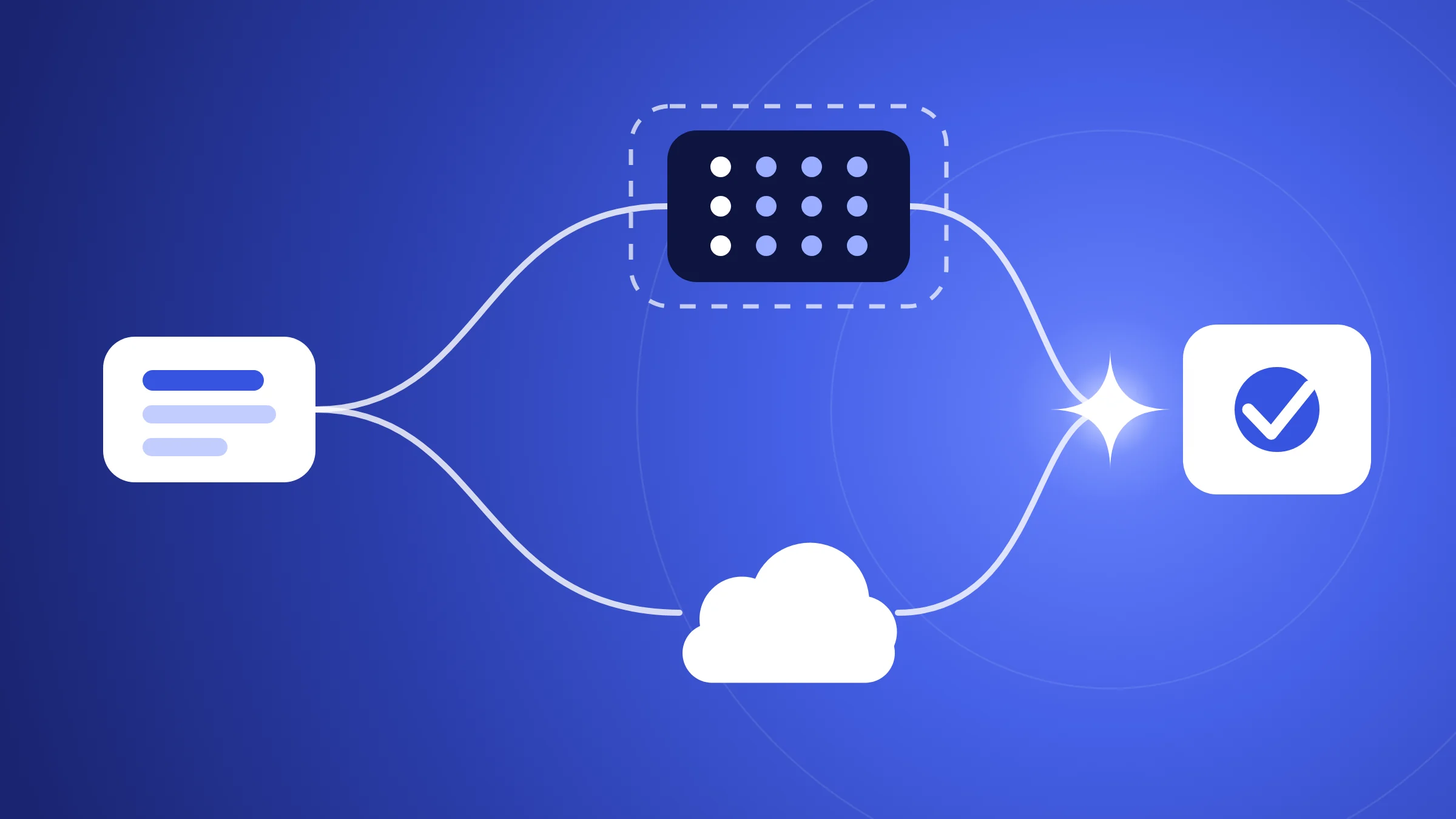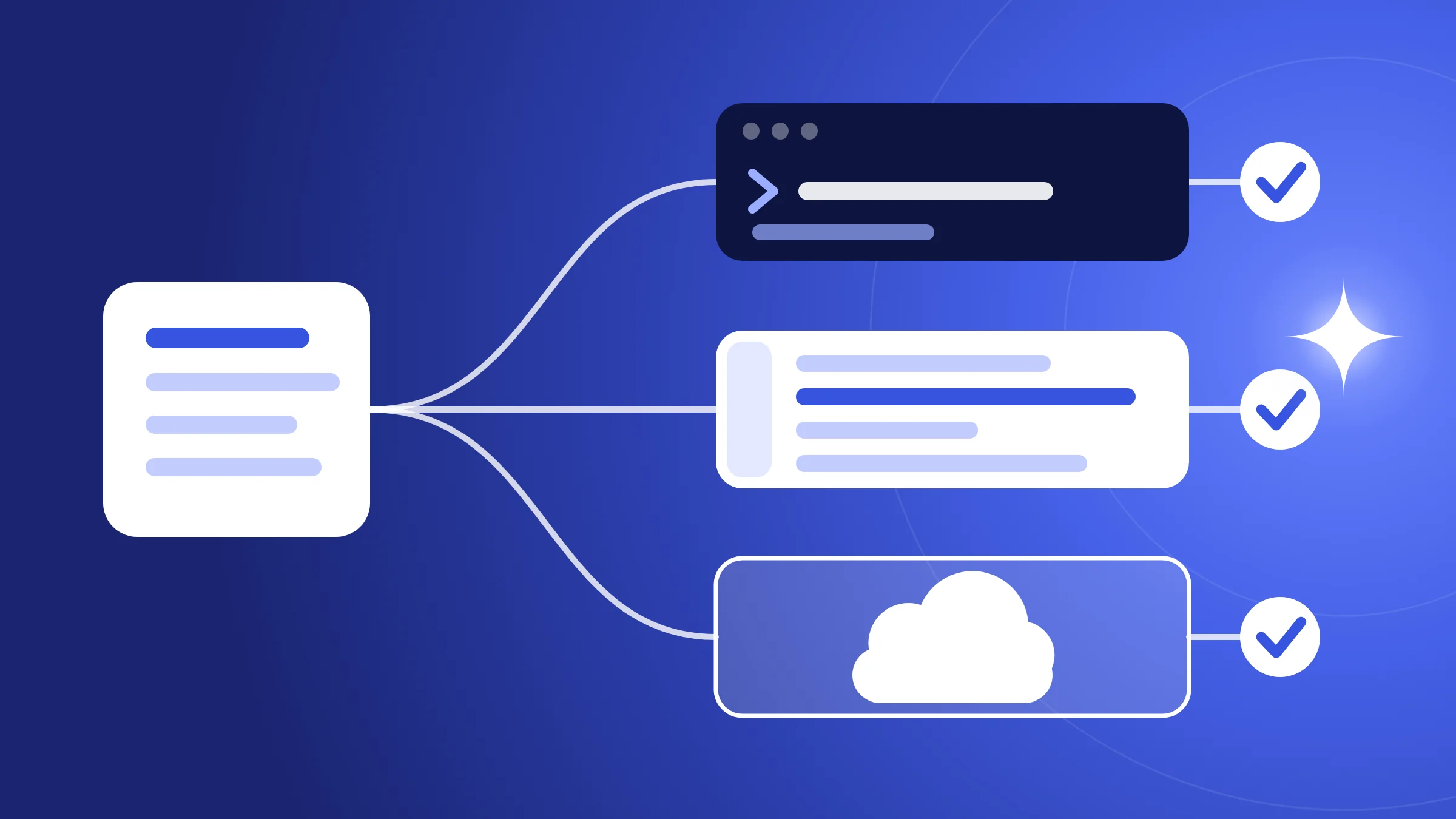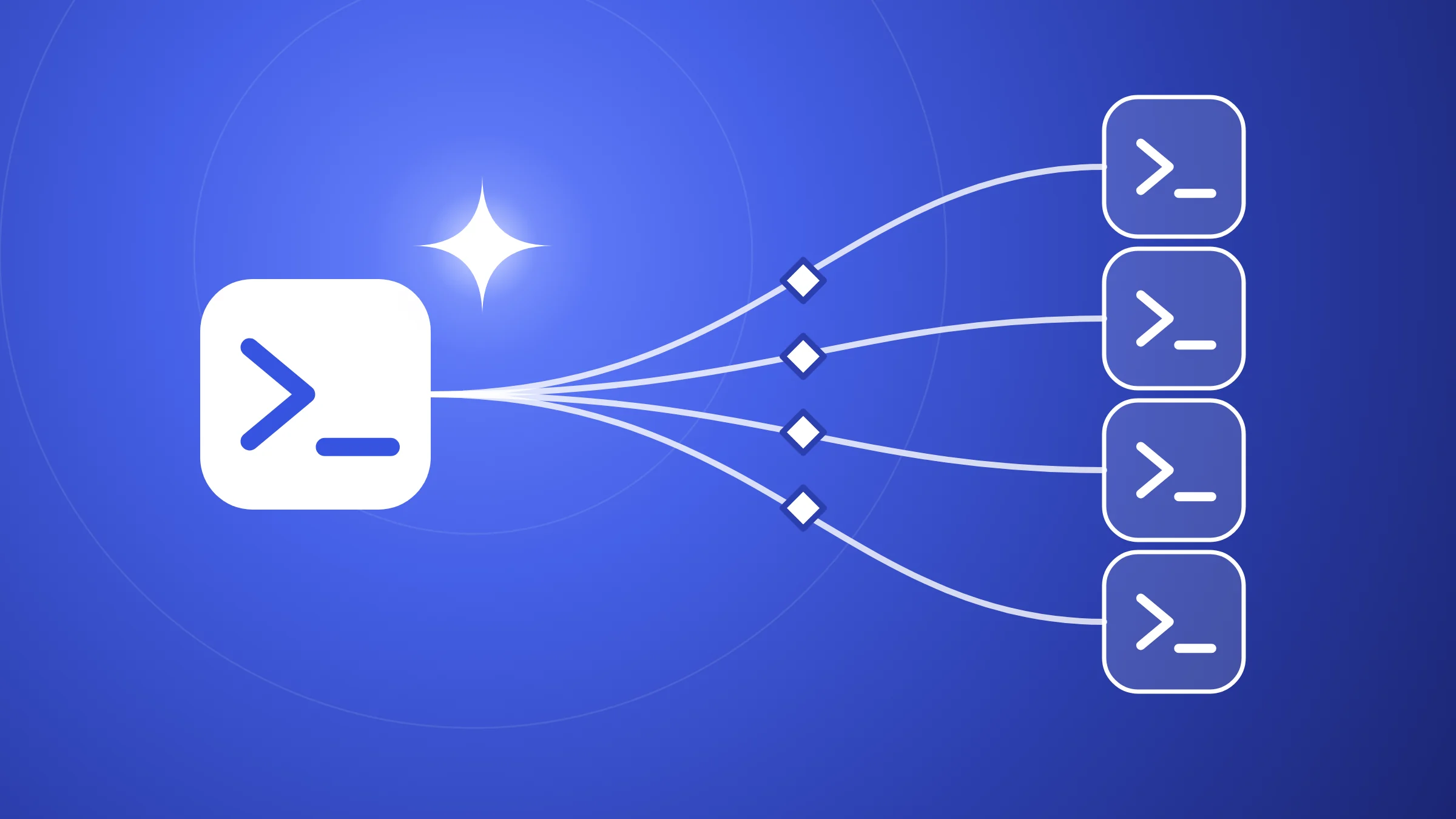
A subagent is a specialized helper that Claude Code hands a task to; it works in its own context window and returns a result (subagents docs). A hook is a command, request or prompt that runs automatically at a set point in Claude Code's lifecycle, whether or not the model would have chosen to run it (hooks docs).
Together they let a marketing or content team split work and enforce rules.
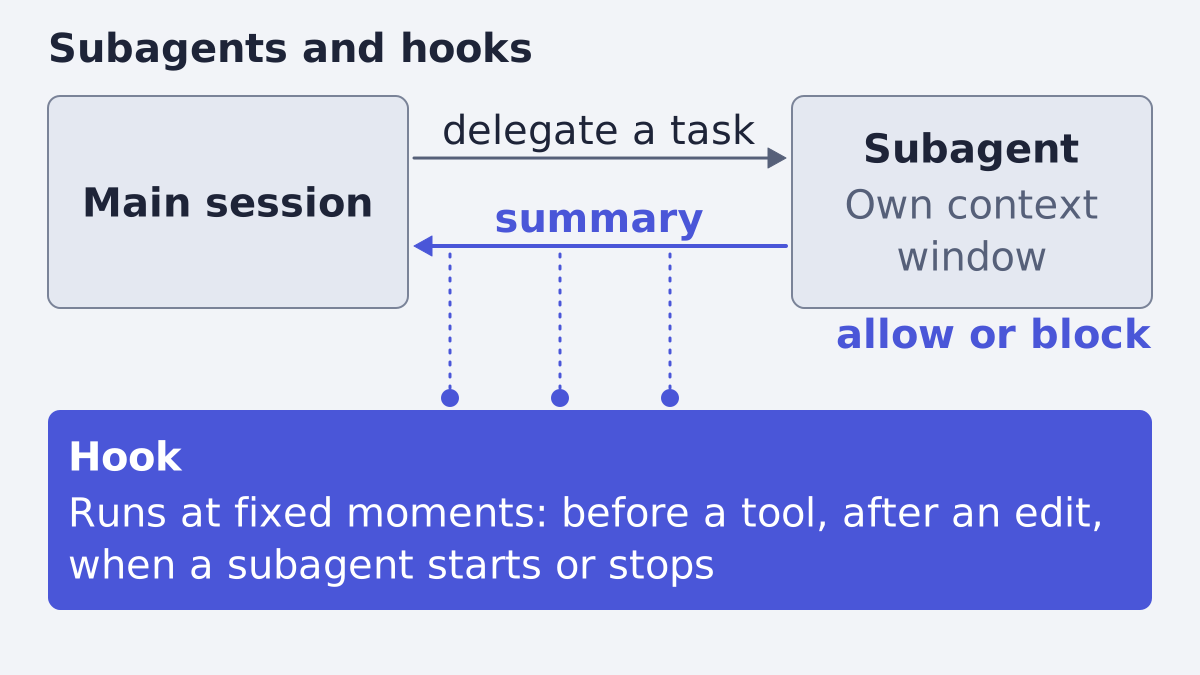
This guide builds on our first post, what Claude Code is and what a marketer can do with it. Both features are documented for software teams; what we say carries over to ad and content work is our reading, and we mark it.
What a subagent is
Anthropic's docs put it in one line: "Subagents are specialized AI assistants that handle specific types of tasks." Each one runs in its own context window with a custom system prompt, specific tool access and independent permissions (subagents). When Claude meets a task that matches a subagent's description, it delegates, and the subagent "works independently and returns results."
The docs give five reasons to use them: keep exploration out of your main conversation, limit which tools a helper can use, reuse the same setup across projects, give a helper a focused system prompt, and route simple tasks to faster, lower-cost models such as Haiku (subagents). The rule of thumb is to use one "when a side task would flood your main conversation with search results, logs, or file contents you won't reference again."
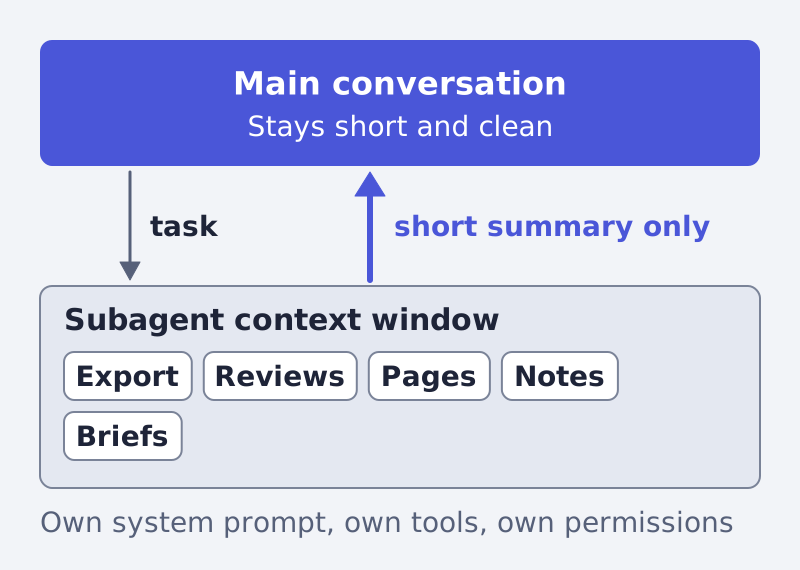
Our reading for marketing: think of a long ad-account export, a folder of 200 reviews or a pile of competitor pages. You do not want all of it in your main chat. A subagent reads it and brings back the three findings you need. The mechanism is the same for any text you can put in a folder.
A subagent's requests count toward the same usage limits as your main conversation (subagents): delegating saves context, not quota.
The built-in helpers and your own
Claude Code ships with built-in subagents. The docs list Explore, a fast read-only agent for searching and analyzing; Plan, which researches during plan mode before a plan is shown; and General-purpose, "a capable agent for complex, multi-step tasks that require both exploration and action" (subagents). Explore and Plan cannot write or edit files.
Your own subagent is a markdown file with a short header: a name, a description and, optionally, tools and a model, followed by its instructions in plain language.
Only name and description are required. The other fields the docs list include tools (an allowlist), disallowedTools, model (sonnet, opus, haiku, fable, a full model ID or inherit), permissionMode, maxTurns, skills, mcpServers, hooks, memory, background, effort and isolation (subagents).
Where the file lives decides who can use it. A project's .claude/agents/ folder is shared with your team if you check it into version control; ~/.claude/agents/ serves all your projects; an organization can push agents through managed settings, which win over everything else (subagents).
How you call one
The docs describe four ways (subagents):
- Automatic. Claude decides from your task and the subagent's
description. Words like "use proactively" in the description encourage it. - By name in plain language: "Use the test-runner subagent to fix failing tests."
- @-mention, which "guarantees" that subagent runs for the task.
- A whole session as a subagent, with
claude --agent <name>.
A subagent runs in the foreground, blocking your chat, or in the background; by default one that Claude spawns starts in the background (subagents).
The docs state these limits: 20 subagents can run at once by default, and a subagent can spawn its own helpers up to three layers below the main conversation. Both can be changed with environment variables.
What a hook is
Hooks are "user-defined shell commands, HTTP endpoints, MCP tool calls, LLM prompts, or subagents that execute automatically at specific points in Claude Code's lifecycle" (hooks). Anthropic's own examples are auto-formatting after every file edit and running lint before a commit (overview).
The key difference from CLAUDE.md is enforcement. In the first post we noted that CLAUDE.md is context, not enforced configuration. A hook is the enforced version: the hooks guide says it makes sure "certain actions always happen rather than relying on the LLM to choose to run them" (hooks guide).
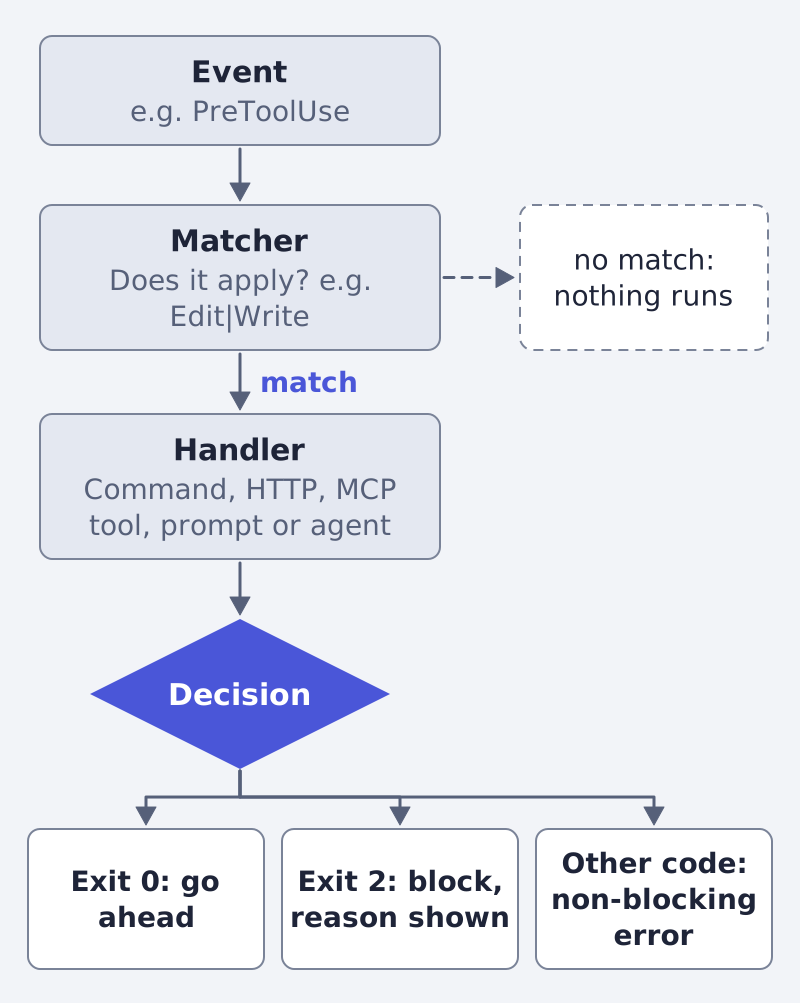
The configuration has three levels: a hook event, a matcher group and one or more handlers. Hooks are written in settings files: ~/.claude/settings.json for all your projects, .claude/settings.json for one project (can be committed), a local gitignored file, managed policy, plugins, and the frontmatter of a skill or subagent (hooks).
The events you will meet most
The reference lists over thirty events, firing per session, per turn or per tool call. These are the ones a content team will meet most; all rows are from the hooks reference.
| Event | When it fires | Can it stop something? |
|---|---|---|
SessionStart |
When a session begins or resumes | No; it can add context |
UserPromptSubmit |
When a prompt is submitted, before Claude processes it | Yes, it can block the prompt |
PreToolUse |
Before a tool call executes | Yes, it can block the call |
PostToolUse |
After a tool call succeeds | The tool already ran; stderr is shown to Claude |
SubagentStart |
When a subagent is spawned | No |
SubagentStop |
When a subagent finishes | Yes, it can keep the subagent going |
Stop |
When Claude finishes responding | Yes, with decision: "block" |
PreCompact |
Before context compaction | Yes |
How a hook decides
A hook receives JSON about the event, on stdin for a command hook. A shell hook answers through its exit code (hooks):
- Exit 0: success; stdout is read for optional JSON.
- Exit 2: a blocking error. On events that can block, Claude Code stops the action and the stderr text becomes the reason.
- Any other code: a non-blocking error; the action goes ahead.
The docs warn that exit code 1 is a non-blocking error: "If your hook is meant to enforce a policy, use exit 2." Instead of exit codes, a hook can exit 0 and print JSON, for example a PreToolUse answer with permissionDecision set to deny and a reason.
A matcher narrows when the hook runs. For tool events it matches the tool name, such as Edit|Write; for SubagentStart it matches the agent type. Some events, such as UserPromptSubmit and Stop, take no matcher and always fire (hooks).
There are five hook types: command, http, mcp_tool, prompt and agent. A prompt hook sends the event to a Claude model for a single-turn judgment, and an agent hook spawns a subagent that can read files to verify a condition. The docs flag agent hooks as experimental (hooks).
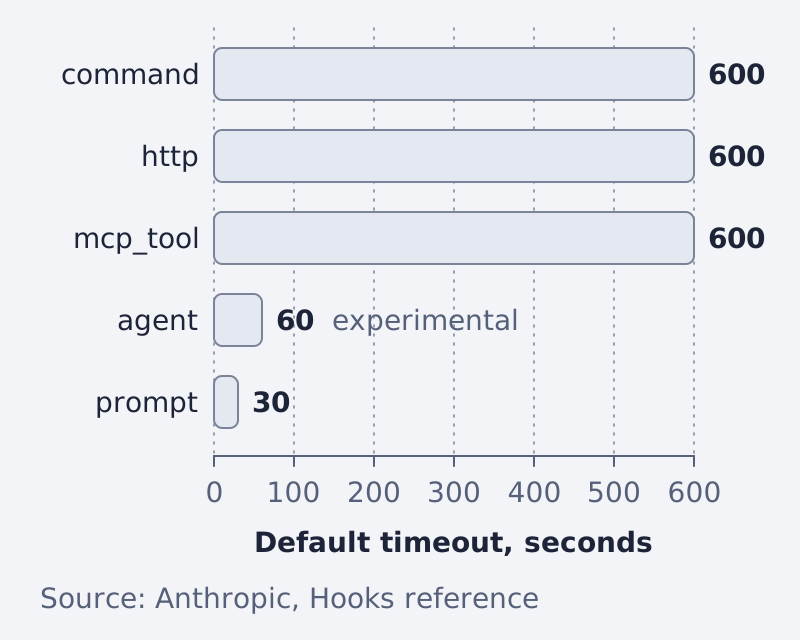
The chart shows the defaults from the same page. On UserPromptSubmit the default for command, http and mcp_tool hooks drops to 30 seconds.
Where subagents and hooks meet
Hooks reach into subagents in three documented ways (hooks):
SubagentStartandSubagentStopfire when a helper begins and ends.SubagentStophooks should readlast_assistant_messagefor the final text.- Hooks from settings also fire for tool events inside a subagent, and their input carries
agent_idandagent_type. - A subagent can carry its own hooks in its header; they run only while it runs.
What a marketing or content team can do with them
None of the following is a documented marketing workflow. These are our readings of the mechanism, built from the fields and events above.
- A research subagent with read-only tools (
tools: Read, Glob, Grep) that digests a folder of exports, reviews or briefs and returns a summary. It cannot edit anything, so it is safe to point at your only copy. - A copy-review subagent whose system prompt holds your tone of voice and a checklist. Call it by @-mention before you accept a batch of ad variants.
- A banned-word hook on
PostToolUsefor edits to copy files. If it finds a phrase you never use, it exits 2 and Claude gets the reason. - A protected-folder hook on
PreToolUsethat blocks any write into a folder holding approved, final assets.
Before you trust an ad, you can also run it through the free creative score, a check that sits outside any of this.
Frequently asked questions
What is the difference between a subagent and a hook? A subagent is a helper that does a task in its own context window. A hook is a handler that runs at a fixed moment and can allow or block an action. A subagent is chosen by Claude or by you; a hook runs whether or not anyone chooses it (subagents, hooks).
Do I need to code to use them? A subagent is a markdown file in plain language, so no. A hook is usually a small script that reads JSON and exits with a code; if you do not write scripts, ask Claude Code to draft it and read what it wrote (our reading).
Can a subagent edit files?
Yes, unless you limit it. If you omit tools, it inherits all tools available to subagents; the built-in Explore and Plan agents are read-only (subagents).
Is a hook safer than an instruction in CLAUDE.md? For a rule that must hold every time, yes, because a hook runs by design rather than by the model's choice. The hooks guide describes exactly that purpose (hooks guide).
Where this fits
Subagents and hooks are for people who steer the tool themselves. If what you need is finished product ads rather than a workshop, that is the work we do at Framepx: we run an AI system that turns product feeds into ads, and here is how it works. More guides are in the blog.
Sources
Written by
Framepx team, Editorial team
The Framepx editorial team writes for brands, marketers and agencies about ad platforms, measurement, creative and product feeds.