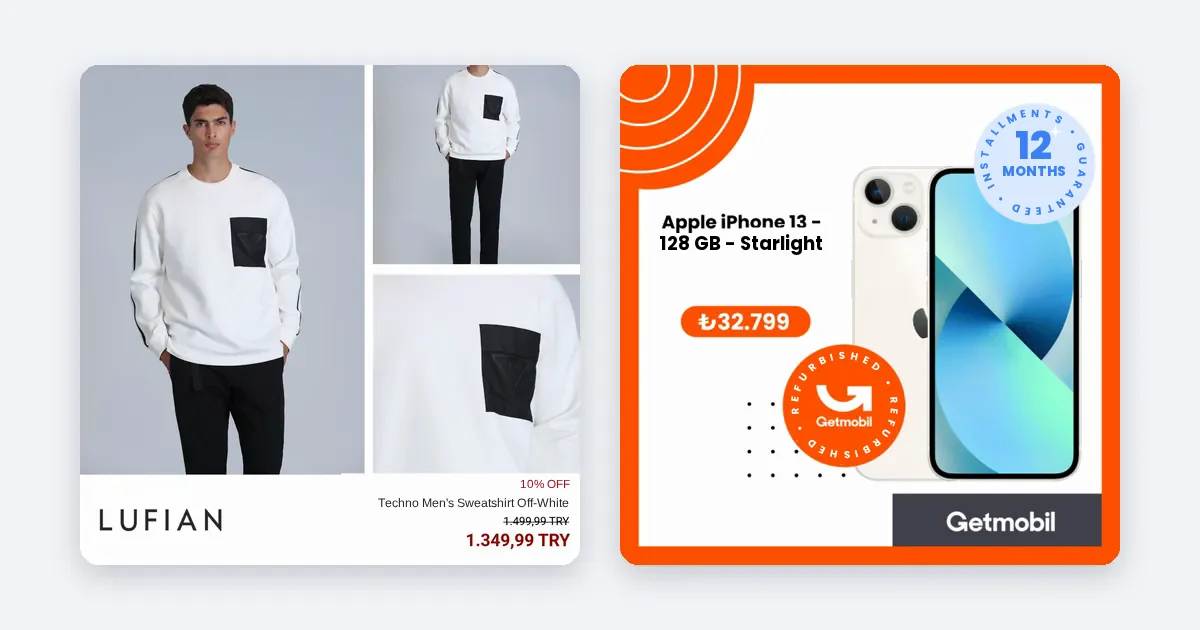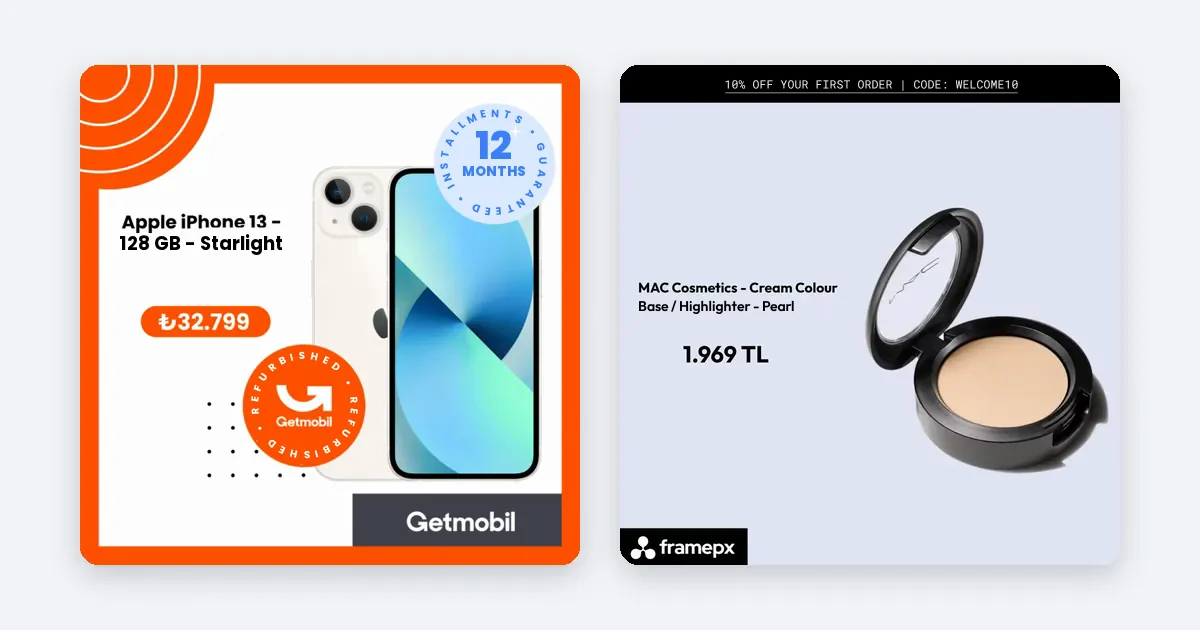
Yes: dynamic product ads can reach new people, not only past visitors. Meta's developer documentation says these ads "may be used to target broad audiences, utilizing age, gender, and other demographic targeting", which reaches people beyond your retargeting and cross-selling segments.
Retargeting and prospecting, in one minute
Retargeting shows a product to people who already looked at it. Prospecting shows your products to people who have never visited your shop. The same product feed and the same ad format serve both. What changes is the audience.
Meta's documentation describes both. For retargeting, the example audience is people who viewed products in the last 3 to 5 days but did not buy, defined with an inclusion rule (such as a product view) and an exclusion rule (such as a purchase), each with a retention period. For the broad audience, the example uses demographic targeting, excludes recent purchasers and optimizes for Purchase events.
Source: Meta for Developers, Advantage+ product ads, getting started.
Why retargeting alone runs out
Retargeting depends on traffic you already have. If few people visit your shop, the retargeting audience is small, frequency climbs fast and you pay again and again to reach the same people. It also tends to claim credit for buyers who would have returned anyway. To grow, you need new people at the top, and a feed full of products is a good way to show them something they might want.
Set up a prospecting ad set step by step
- Check your feed and tracking first. Open Commerce Manager and read the diagnostics for your product feed. Make sure the Meta Pixel (and, if you use it, the Conversions API) reports product views, add to cart and purchases, because Meta needs these events to learn.
- Create a separate campaign or ad set for prospecting. Keeping it apart from retargeting lets you read each on its own numbers.
- Choose a broad audience. Set the country and, if it matters for your product, age and gender. Avoid stacking many narrow interests, which shrinks the audience.
- Exclude your buyers and recent visitors. Exclude people who purchased in the last 30 to 180 days, depending on how often your customers rebuy. Exclude your retargeting audience so the two ad sets do not overlap.
- Pick the product set. Start with products that have healthy margin and stock. Showing sold-out or loss-making items to cold people wastes the one chance to impress them.
- Optimize for purchases. Give the ad set enough budget to collect results. A rough floor is covered in our post on how much to spend on Meta product ads.
Make the ad work for a stranger
A returning visitor knows your brand. A new person does not. The first image has to carry that.
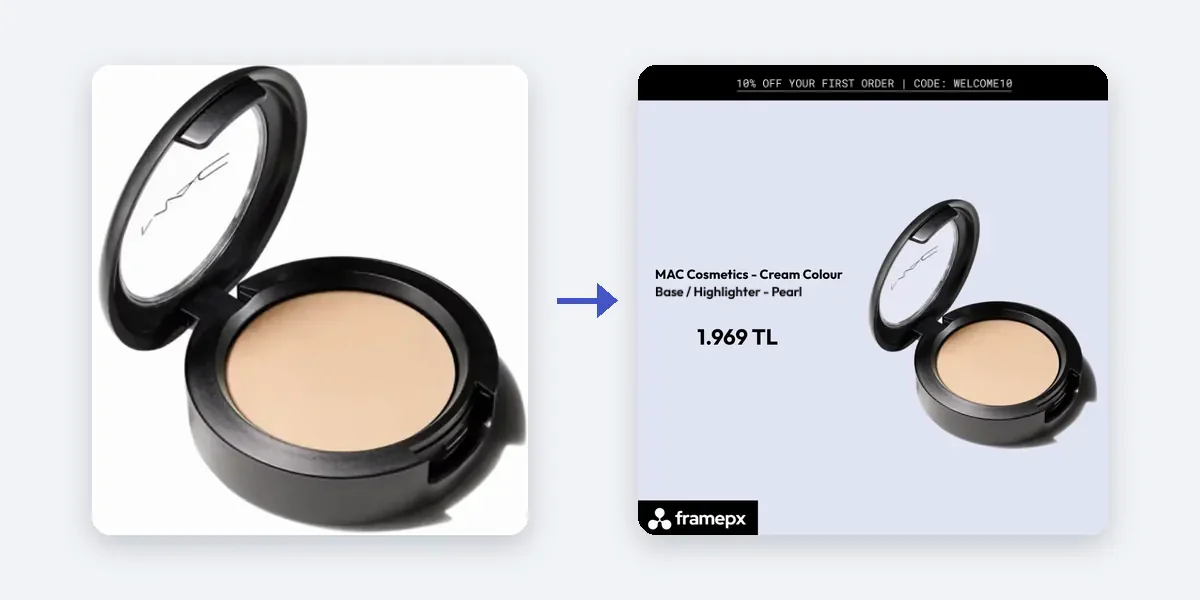
- Use a branded ad image, not a bare product photo on white. The brand's colors, fonts and style tell a stranger who you are.
- Show the price clearly. A stranger decides faster when the price is visible.
- Use the right size for each placement: 1:1 or 4:5 for the feed, 9:16 for Stories and Reels.
- Keep the product and the image consistent. If the image shows a blue jacket, the click must lead to that blue jacket.
How to read the results fairly
- Do not judge prospecting by last-click ROAS alone. Cold traffic often converts later, and a short window can make it look worse than it is.
- Compare cost per purchase and ROAS over at least two weeks, against your own break-even.
- Watch the share of new customers in your shop analytics, not only Meta's report.
- Keep retargeting running. The two work together: prospecting fills the top, retargeting brings people back.
How Framepx helps
Framepx is an AI system for product ads, offered as AI as a service. Its AI engine turns every product in your feed into your brand's own ad in 1:1, 4:5 and 9:16, and keeps each ad in step with the product's price and stock. Its decision engine picks which product shows where from price, stock, channel results and GA4 data. The channels read the ads through a feed link today. The audience and budget choices above stay in your own ad account.
Frequently asked questions
Do dynamic product ads work without any retargeting?
They can run on a broad audience, as Meta's documentation describes. Whether they pay for your shop depends on your products, price and margin, so test it against your own break-even.
Which products should I show to new people first?
Products in stock, with a healthy margin and a clear price. Do not start with items that are almost sold out.
Should prospecting and retargeting share a campaign?
Keeping them apart makes the numbers easier to read. If you combine them, check how the spend splits so retargeting does not take most of it.
Can I start Framepx for free?
Yes. You can start free for up to 30 days on the steps the panel asks for. See Pricing for plans.
To try ads built from your feed, schedule a demo.
Written by
Framepx team, Editorial team
The Framepx editorial team writes for brands, marketers and agencies about ad platforms, measurement, creative and product feeds.