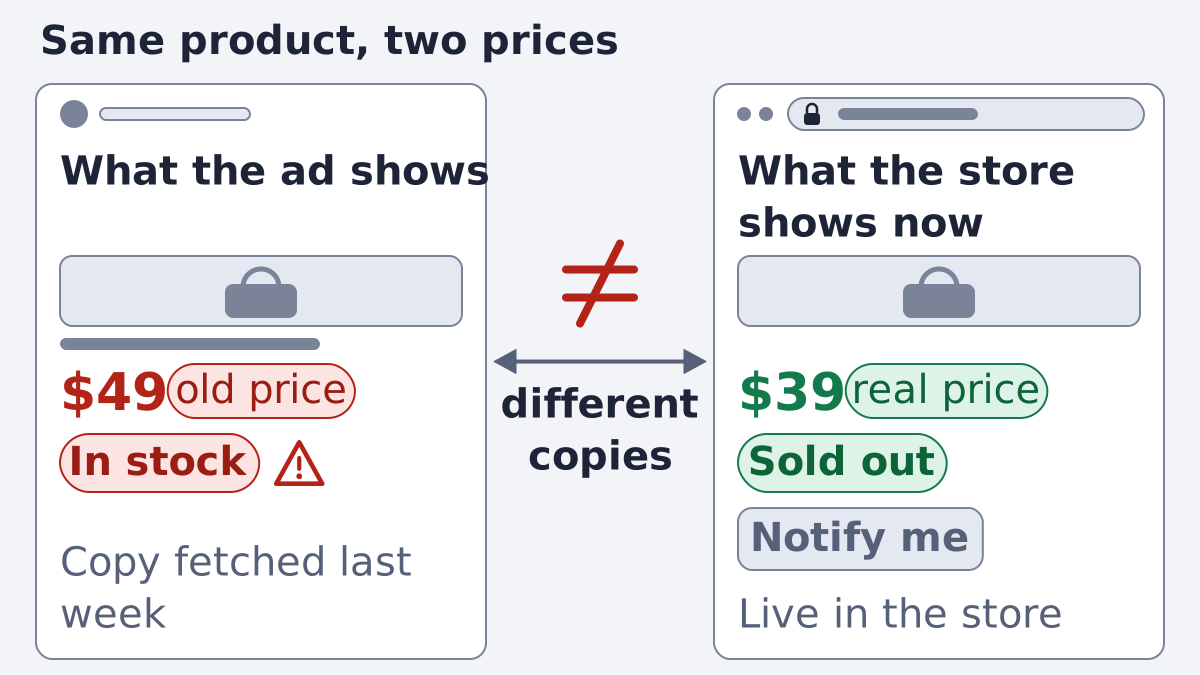
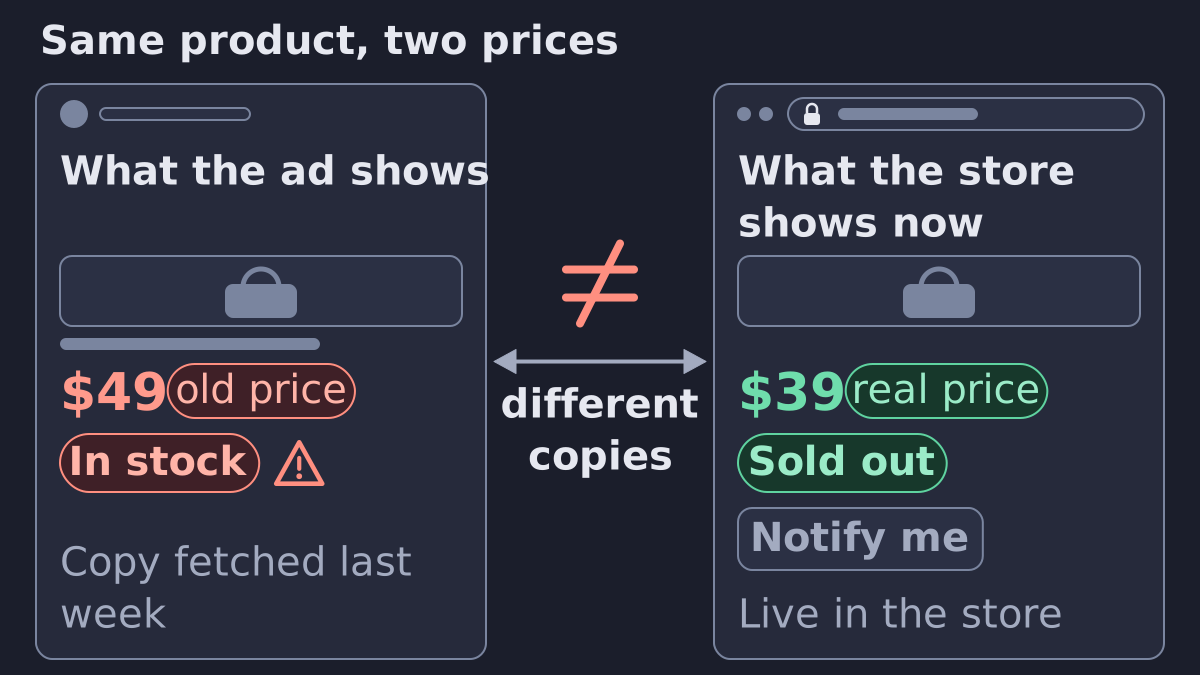
A Meta product ad shows the wrong price or a sold-out item because Meta is reading an older copy of your feed than the one your store holds right now. The fix is to find where the copy goes stale: the feed schedule, the product ids, or a second source that overrides the first.
How the price gets into the ad
Your store holds the real price and stock. Your feed copies them into a file. Meta fetches that file on a schedule and keeps its own copy in the catalog. The ad is drawn from Meta's copy, so a price can be old in three places: the store export, the schedule, and the catalog itself.
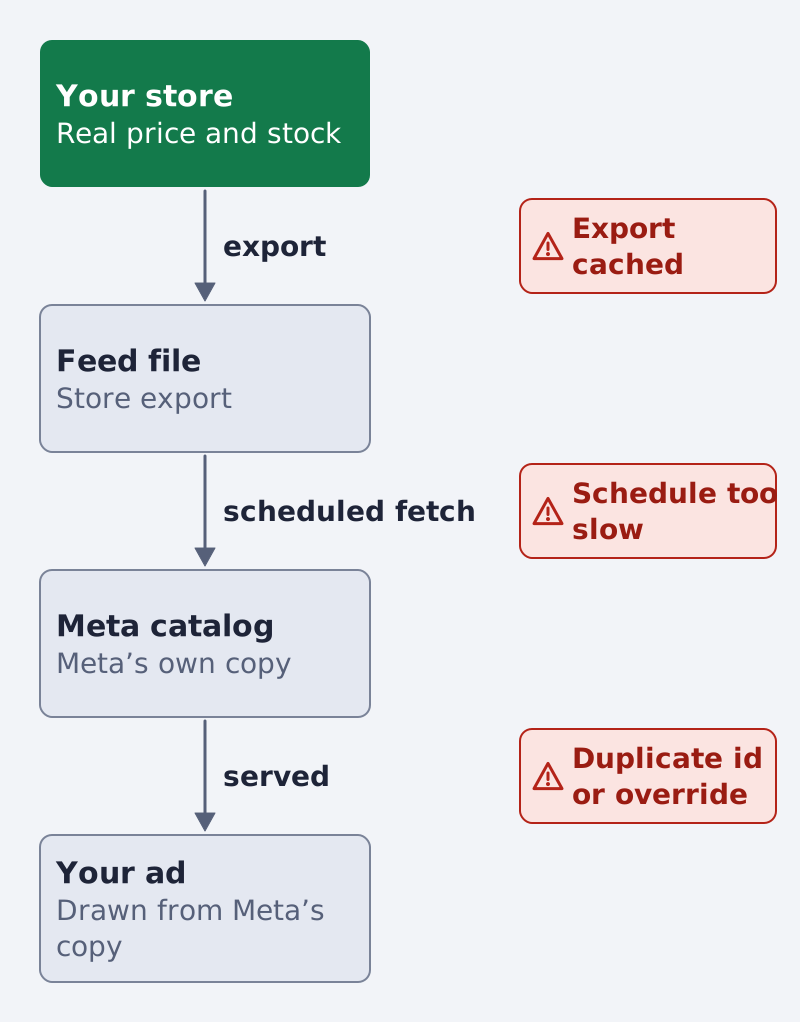
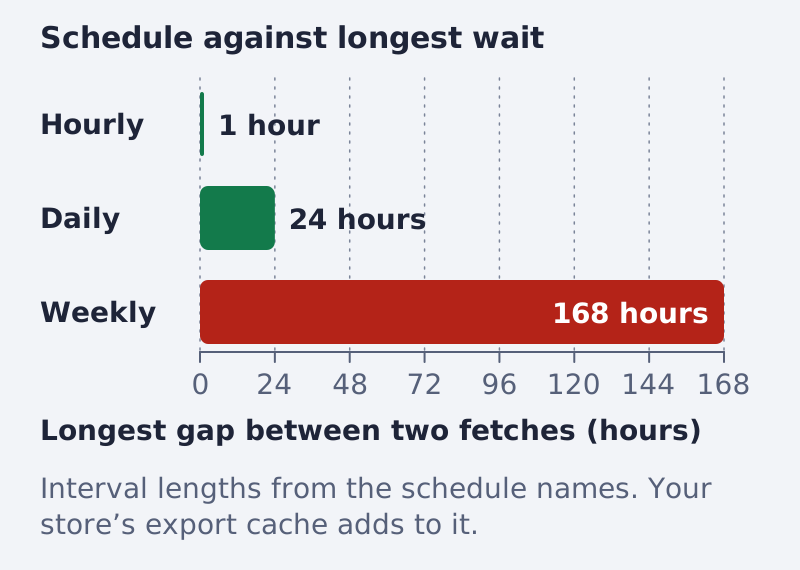
Meta lets a feed upload "automatically using a schedule (hourly, daily or weekly)". A replace schedule refreshes the whole feed and deletes items missing from the file, while an update schedule changes selected items only (Meta, catalog overview). For fast changes, Meta supports live updates of specific product fields through the catalog Batch API, "for near real-time updates" (same page). If your schedule is weekly and you run a sale on Tuesday, the ad keeps the old price until the next fetch.
Where the copy goes stale
Most wrong prices come from one of these. The table says where you see it and what to change.
| Cause | Where you see it | The fix | Source |
|---|---|---|---|
| Schedule too slow | Catalog is wrong, feed file is right | Shorten the interval or run the source now | Meta, catalog overview |
| Store export cached | The feed link opened in a browser shows the old price | Clear the export cache or shorten it | Your own file, checked in a browser |
| Same product in two sources | The item appears twice or flips between values | Keep each product in one feed only | Meta, catalog overview |
| Sale price missing | The ad shows the regular price | Fill sale_price with a value lower than price |
Meta, catalog reference |
| Price written the wrong way | A strange number or no price | A number, a space and the 3-letter currency code, such as 9.99 USD |
Meta, catalog reference |
| Sizes share one id | One price for every size | One row and one id per size, one shared item_group_id |
Meta, catalog reference |
| Stock changes faster than the fetch | Sold-out product still served | Fetch more often, or send stock through the Batch API | Meta, catalog overview |
Find the cause, step by step
- Pick one wrong ad. Write down the product, the price in the ad and the price on your site.
- Find the product in the catalog. Open Commerce Manager, open your catalog and search the item by its id. Compare the stored price and availability with your site.
- Product list wrong, feed file right: the schedule is the cause. Open the data source, check when it last ran, then shorten the interval or run it now.
- Feed file wrong too: the problem is the store export. Open the feed link in a browser and look at the same product. Many stores cache the export, so clear it or shorten it.
- Product appears twice: two sources hold the same id. Meta says a product "can only exist in one Product Feed at any time" (catalog overview). Remove the duplicate source.
- Check the sale price and the currency. The sale price is its own field, it must be lower than the full price, and
sale_price_effective_datecontrols when it shows. Meta recommends one currency per catalog so customers do not see mixed currencies; that advice sits in the Schema.org price entry of its reference (catalog reference). - Check the variants. Meta groups variants such as sizes or colors by giving every row the same
item_group_id(catalog reference). Each size keeps its own row and its own id.
Before you guess, read the diagnostics your platform shows for the catalog. On TikTok, the Diagnostics tab in Catalog Manager separates errors, "issues that affect your ad performance and must be resolved", from warnings (TikTok, diagnostics dashboard).
Why a sold-out item still shows
Stock is the same story as price. A product that sold out at 10:00 stays "in stock" in Meta's copy until the next fetch. Meta states that items marked out of stock "don't display at all in your ads" (catalog reference), so the value has to reach Meta first.
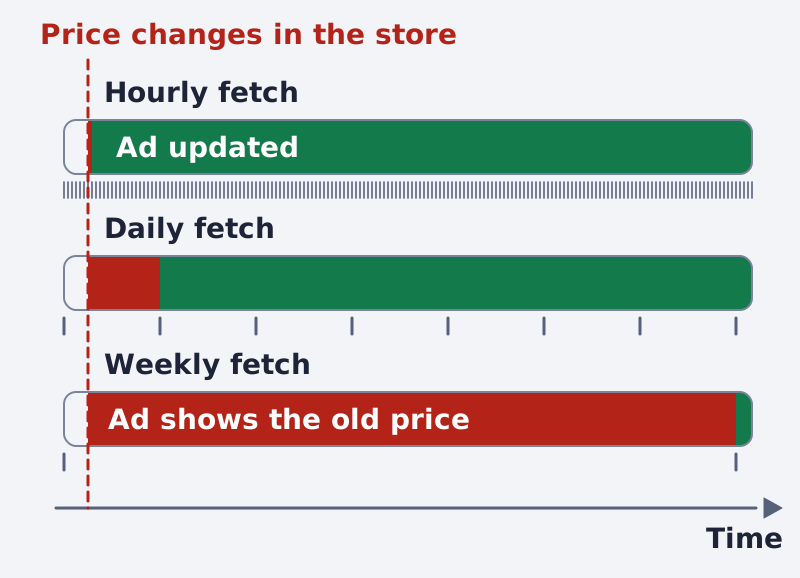
An ad can stay wrong for at least the gap between two fetches, plus whatever your store's own export cache and Meta's processing time add.
Three habits help:
- Schedule by how fast your stock moves. A shop with limited drops needs an hourly fetch, not a daily one.
- Send stock on its own road. Where your platform supports it, use the Batch API or an update schedule, so inventory changes without a full replace.
- Keep zero-stock products out. Pause or exclude them in a product set, or remove the row from a full export on a replace schedule, which deletes items missing from the file.
Be careful with the last point. A half-finished export sent on a replace schedule can delete good products. Try it on a small product set first.
Sale days, and the same problem on Google
Sale days make it worse, because prices change on hundreds of products at once. Before you start the sale in the store, check that the feed carries the new prices and that Meta has fetched it. The order is: the store changes, the feed refreshes, Meta fetches, the ad updates. When the sale ends, run the same order again, or the ad keeps the sale price.
Google Merchant Center has the same rule from the other side. It asks that the price "match with the price from your landing page, structured data, and at checkout", and the same for availability (Google, product data specification). Its automatic item updates read your page and correct price, sale price, availability and condition, but Google says they "aren't a replacement for regular updates of your product data" and "may not work for products with frequent price or availability value changes". The product "may be disapproved instead of updated if we detect a mismatch" (Google, automatic item updates). For prices that move often, Google points to the Merchant API (same page). If your products come from a store platform connection, Google notes that "changes may take 24-48 hours to reflect in Merchant Center" (Google, adding products). For the Google side in full, see Google Merchant Center feed errors.
A ten-minute check, every week
A feed that is looked at weekly costs far less than a price error found mid-campaign.
- Open five products at random on your site.
- Find the same five in the catalog.
- Compare price, availability and image.
- Look at the last run time of every data source.
- Trace anything that differs with the steps above.
You can also paste your feed link into the Feed Inspector to see what is in the file before Meta reads it. If you are new to feeds, start with what a product feed is, and for the Meta side of errors see how to fix product feed errors in Commerce Manager.
Do the check before a large sale and tighten the schedule for that day. If you would rather not run this by hand, Framepx keeps a brand's feed and its ads in step with the store: when the price in the feed changes, the ad changes with it. It still depends on a correct feed. How it works shows the steps.
Frequently asked questions
How long does a price change take to reach the ad?
As long as your store export plus the next fetch by Meta. With an hourly schedule that is about an hour or a little more. With a weekly schedule it can be days.
Does the ad's landing page matter?
Yes. When the page price differs from the feed price, shoppers see two numbers. Keep both from the same source.
Can I fix one product by hand?
You can edit a product in Commerce Manager, but the next feed run may overwrite it. Meta's pages do not say how a manual edit and a feed run interact, so treat it as a risk and fix the source, not the symptom.
Why does the ad still show after I removed the product?
A feed on an update schedule does not delete missing items. Only a replace schedule does (Meta, catalog overview). Check which kind of schedule you have.
Written by
Framepx team, Editorial team
The Framepx editorial team writes for brands, marketers and agencies about ad platforms, measurement, creative and product feeds.