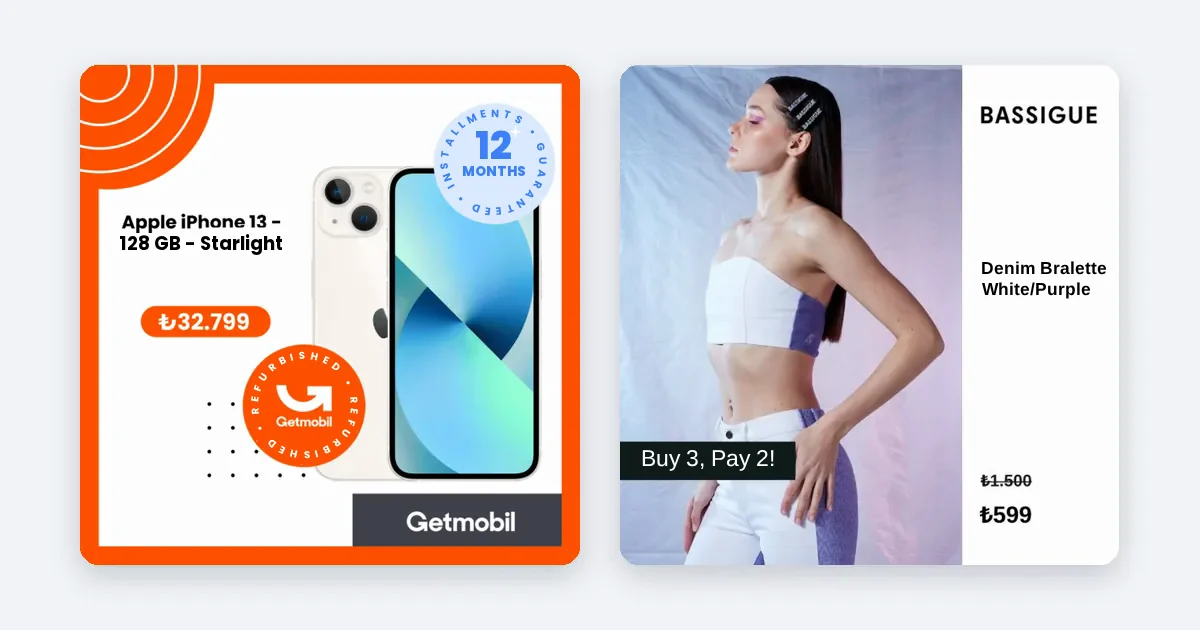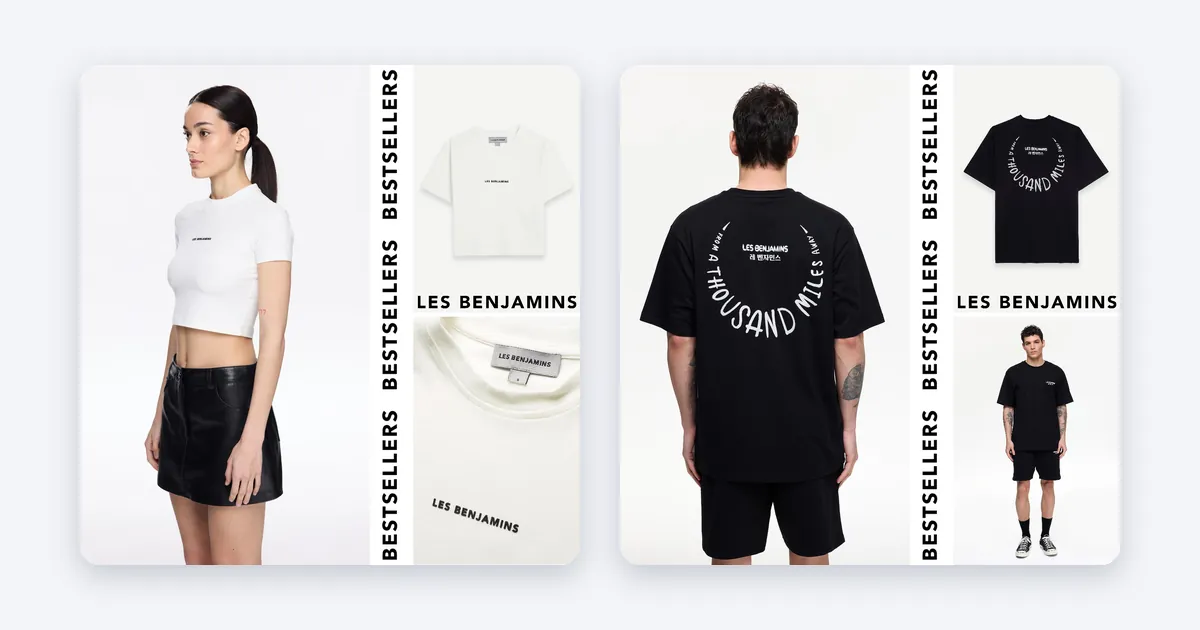
The way to produce ad images for hundreds of products is to build one design layout and connect it to your product feed, rather than designing each product by hand. The layout places the product photo, the price and your brand elements automatically, and you only approve the layout.
Why designing one by one does not last
If you have three hundred products and each needs three sizes, that is nine hundred images. A designer can finish that in weeks, but when a price changes, stock runs out or a new season arrives, the work starts over. Cost and delay grow, and the images go stale.
Automatic production, step by step
- Prepare your product feed. Every product needs a name, price, stock level, link and a high-resolution image. Close the gaps in feed diagnostics in Commerce Manager.
- Gather your brand rules on one page. Colors, font, logo position and the look of the price tag.
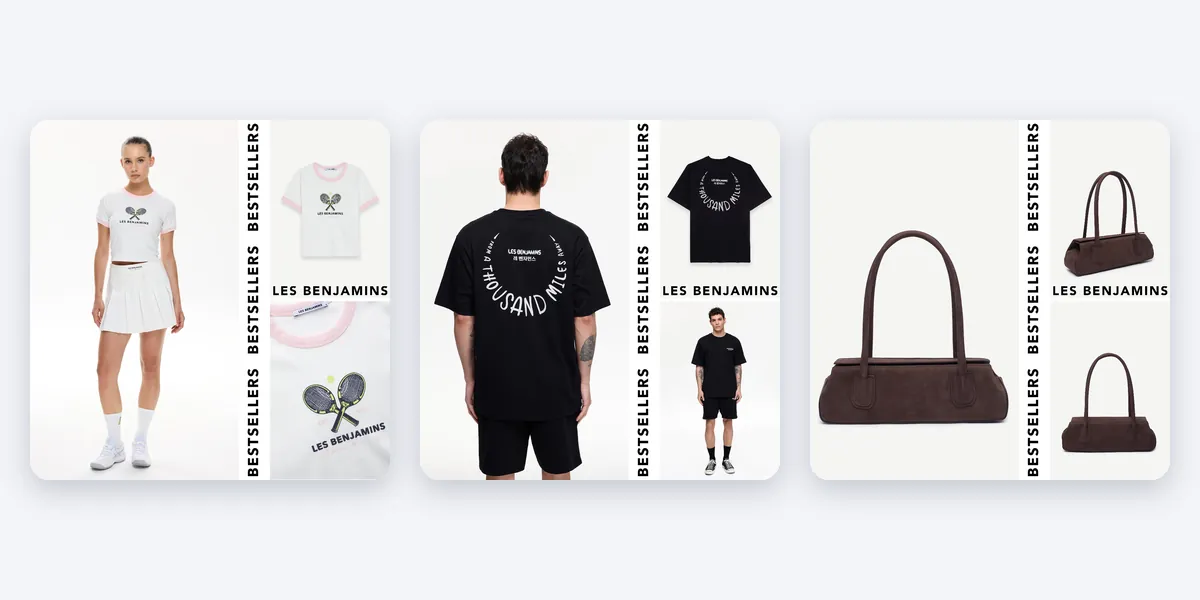
- Choose a layout. Keep fixed areas for the product, the price, the badge and the logo. Every product fits into the same layout.
- Separate the sizes. Build separate layouts for 1:1, 4:5 and 9:16. Cropping a single image cuts off the product or the price.
- Connect the fields to the feed. Price, discount and product name are not typed into the image. They come from the feed.
- Try it on ten products. A long product name, a very tall product or a dark photo will strain the layout. Catch the problems before they spread to the whole feed.
- Apply to all and check by eye. Open randomly chosen products in all three sizes and look.
- Leave the updating automatic. When price or stock changes, the image should change too.
Mistakes to avoid
- Opening a separate file in a design tool for every product. It is fast at the start and does not scale.
- Typing the price into the image. When the campaign ends, the ad is wrong.
- Producing one size and cropping it.
- Taking images live without approving them.
How Framepx does this
Framepx is an AI system for product ads, offered as a service. Its AI engine turns every product in your feed into your own branded ad, in 1:1, 4:5 and 9:16. You do not design one by one. When a price or stock level changes, the ad changes with it. A decision engine chooses which product is shown where, looking at price, stock, channel results and GA4. Channels read the ads through a feed link today.
A real brand
Rakle (glassware and lifestyle brand) worked with ads generated from its product feed. Compared with standard product ads, ROAS rose 46% and monthly revenue grew 5.4x.
This result is a comparison inside the brand's own account. Season and campaigns also play a part in revenue growth, so your result may differ.
How to keep quality up
Automatic production does not remove quality control. Watch these points:
- Source photo quality. A low-resolution photo looks bad even in a good layout.
- Long text. Very long product names break the layout. Set a limit on title length.
- Color harmony. If the product color and the layout color clash, the product gets lost.
- Sampling. You do not need to look at every one of hundreds of products, but take samples from different categories.
For a brand owner, the most important point is that the output speaks in the brand's own language. When the brand's color and layout are used instead of a generic template, the ad is recognized among competitors.
Which products should come forward?
Producing ads for all products does not mean showing them all with the same budget. Give weight to products that are in stock, priced competitively and selling well. As the product count grows, making this call by hand gets hard. A decision layer based on price, stock and channel results speeds it up.
FAQ
Do I need design skills?
You only need to approve the layout once. If your brand colors and logo are ready, production runs on its own.
How long does production take if I have many products?
It depends on the number of products and sizes. It is far shorter than manual design, because no separate design is made for each product.
How do the generated images reach Meta?
Channels read the ads through a feed link today.
Can I try Framepx for free?
You can start free for up to 30 days by completing the steps the panel asks for. See Pricing for plans.
To produce ads for all your products, Schedule a demo.
Written by
Framepx team, Editorial team
The Framepx editorial team writes for brands, marketers and agencies about ad platforms, measurement, creative and product feeds.