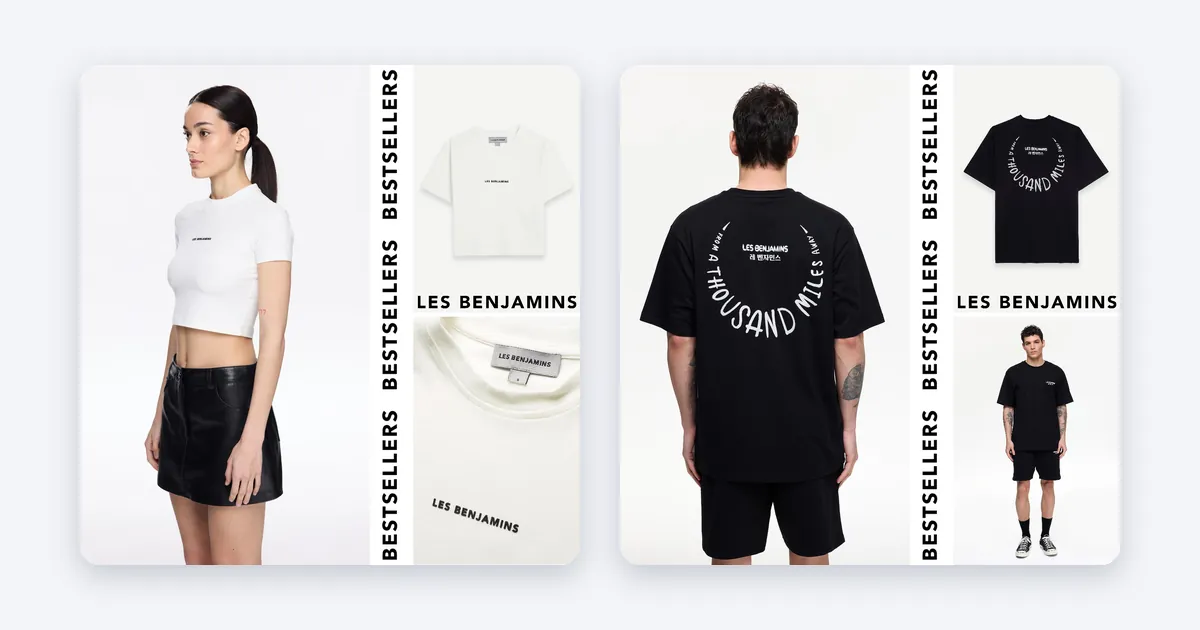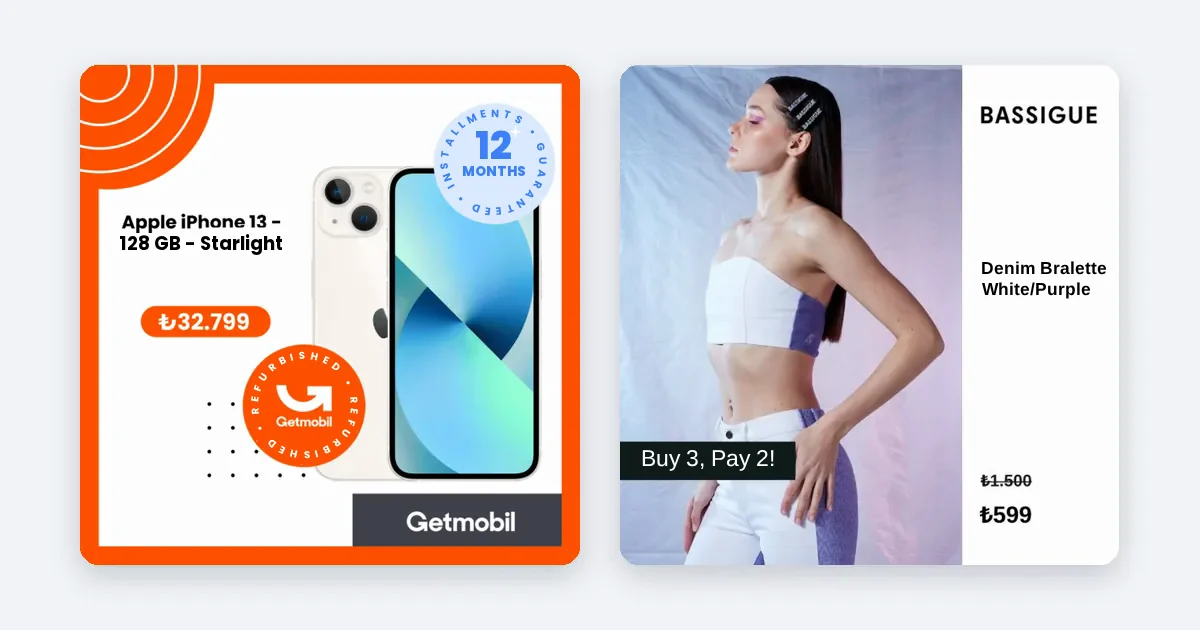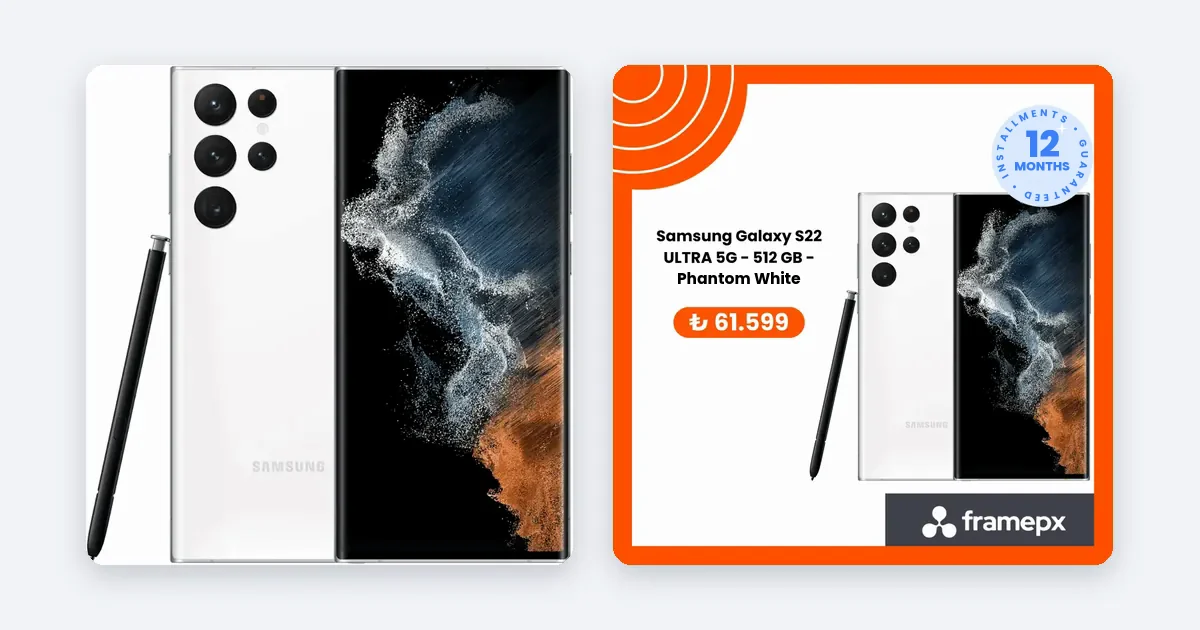
To customize product images on Meta, turn the photo in your product feed into an ad design that carries your brand's colors, type and layout. Instead of doing this product by product, set up one design layout and apply it to the entire feed.
Why Meta's default image is not enough
Meta shows a product ad with the main image from your feed. That image is usually made for a web store: white background, product in the middle, no brand. Competitors in the same Facebook and Instagram feed use similar images. It is not clear at first glance that the ad is yours.
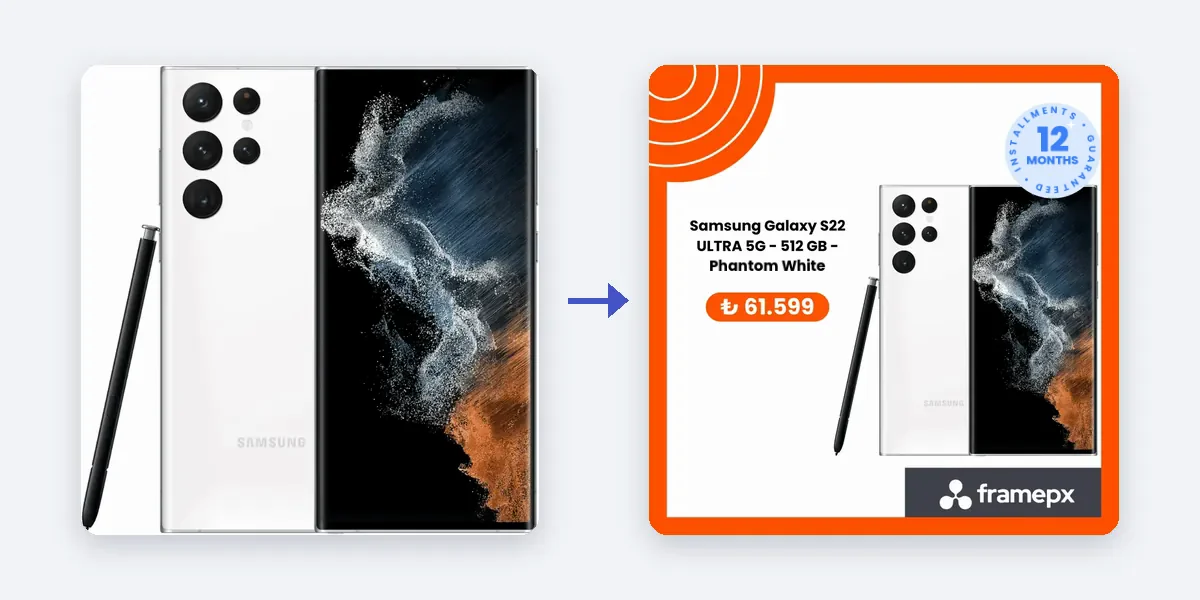
Customizing step by step
- Write down your brand rules. Main color, second color, font, logo position and the look of the price tag, on one page. The same page goes to a designer or to an AI.
- Choose a layout. Fix the places for the product, the price, the discount badge and the logo. Consistency is what makes a brand recognizable.
- Prepare a layout for each of three sizes. 1:1 for the feed, 4:5 for the mobile feed, 9:16 for Stories and Reels. Cropping one design can cut off the product or the price.
- Connect price and discount to the image. A price typed by hand is wrong as soon as the campaign ends. The price field should come from the feed.
- Check your feed. In Commerce Manager, make sure the image URLs work and the resolution is high enough.
- Test on a small product group. In Meta Ads Manager, compare the standard image and the customized image in two ad sets. Same budget, same audience.
- Roll out the winner. If the result is good, apply the layout to the whole feed.
Common mistakes
- Putting the text too large. Type that covers half the image hides the product.
- Giving every product its own style. The brand loses its unity.
- Typing the price into the image. When the price changes, the ad tells a lie.
- Using small type that cannot be read on a phone.
How Framepx does this
Framepx is an AI system for product ads, offered as a service. Its AI engine turns every product in your feed into your own branded ad, in 1:1, 4:5 and 9:16. You set the design layout once and the engine does the rest. When a product's price or stock changes, its ad changes too. Channels read the ads through a feed link today.
Real brands
- Emsan (kitchenware and home): ROAS 6.4x and CPA 79% lower than standard product ads.
- Avva (men's fashion): CTR rose 56% and CPC fell 66% compared with standard product ads.
These are comparisons inside each brand's own account. Sector, season and budget change the outcome.
What to watch after customizing
Track three measures to see whether the customization worked.
- CTR: if the image catches attention, the click-through rate rises.
- CPC: as CTR rises, Meta tends to sell the click for less.
- Cost per purchase (CPA): this is the real measure. If clicks went up but purchases did not, the image promises something the product page does not deliver.
Do not decide before enough data has built up. Give Meta's learning process time.
Who should do the customizing?
You have three options. The first is a designer who makes an image for each product: quality is high, but cost and time grow with the product count. The second is building a template in a design tool and filling it in by hand: it works for mid-sized feeds, but updates are tiring. The third is an automatic system that takes your layout once and connects it to the product feed. If you have more than a hundred products and prices change often, the third option is the most sustainable. Whichever you choose, the design must stay tied to your brand rules.
Checklist for a customized image
- Do the logo and colors follow the brand rules?
- Is the price readable and tied to the feed?
- Is the product in the center of the image and uncut?
- Is the text readable on a phone in all three sizes?
- Does the badge appear only on a real discount?
FAQ
Do I need a separate design for every product?
No. You set up one layout and every product fits into it. Even with hundreds of products, the design work is done once.
Is showing the price on the image allowed by Meta's policy?
Showing a price is generally fine, but check Meta's current ad policies for discount and price wording in images. The price must match the price on your site.
Will customized images break my feed?
No. Your original images stay where they are. The customized ad images are produced separately.
Do I have to pay to try Framepx?
You can start free for up to 30 days by completing the steps the panel asks for. See Pricing for plans.
To prepare your product images in your brand's style, Schedule a demo.
Written by
Framepx team, Editorial team
The Framepx editorial team writes for brands, marketers and agencies about ad platforms, measurement, creative and product feeds.